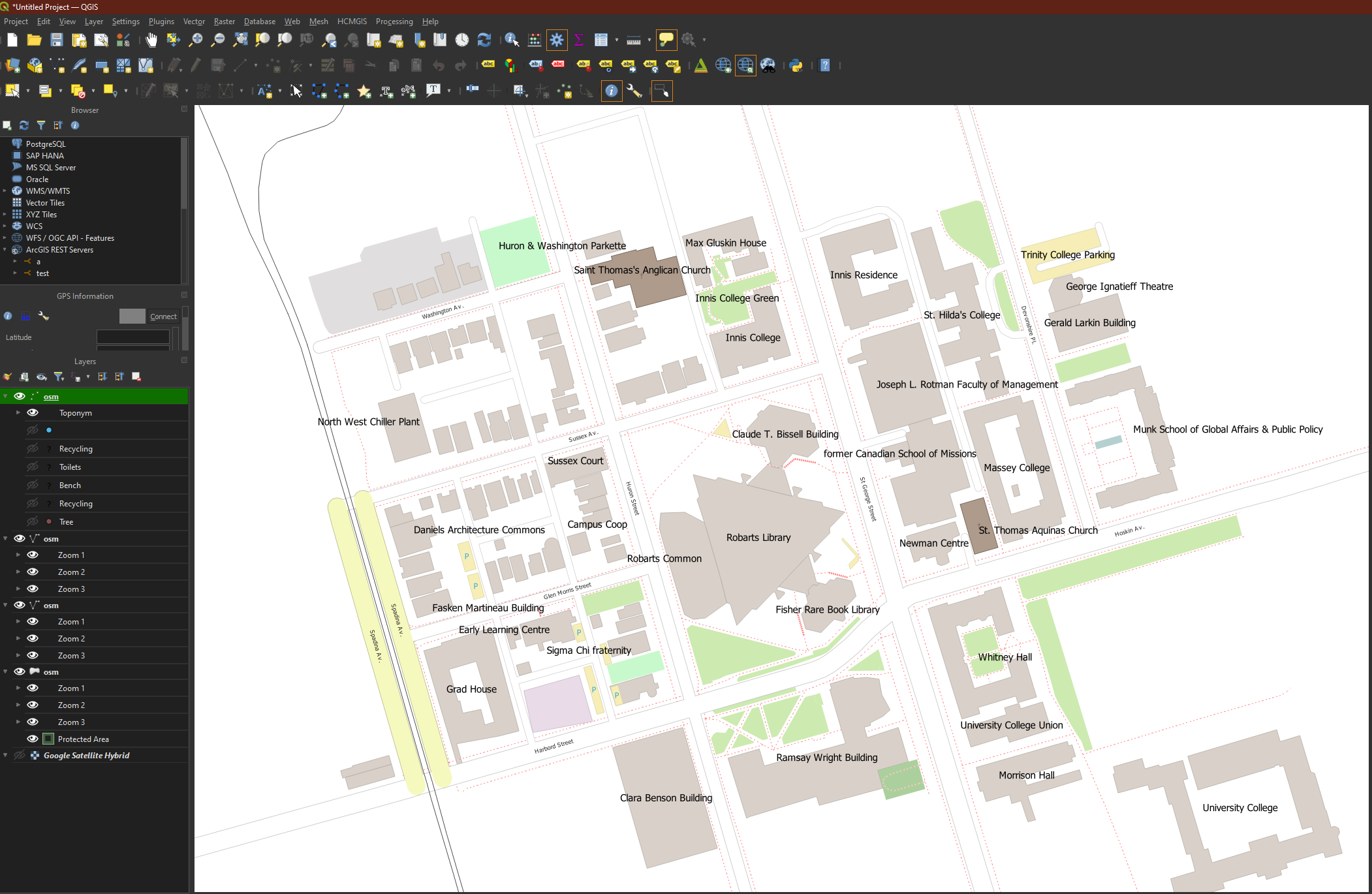
Exporting Data from OpenStreetMap for QGIS
In the case you need to acquire detailed city data to produce a large-scale map and we don’t have what you’re looking for in our data inventory, there is a chance that the user-contributed maps of OpenStreetMap.org may do the trick. QGIS can query and load this data into your map for a specified area of interest. The data can then be exported into common geospatial file formats.
A third-party plugin called OSMDownloader is available that allows for automatic retrieval of OpenStreetMap data for a specified area within the QGIS GUI. After the user interactively specifies an area of interest, this plugin will query and load OSM data into the map. The data can then be used for mapping in QGIS. It can also exported to a shapefile or other geospatial data format if desired.
- Open QGIS and start a new project.
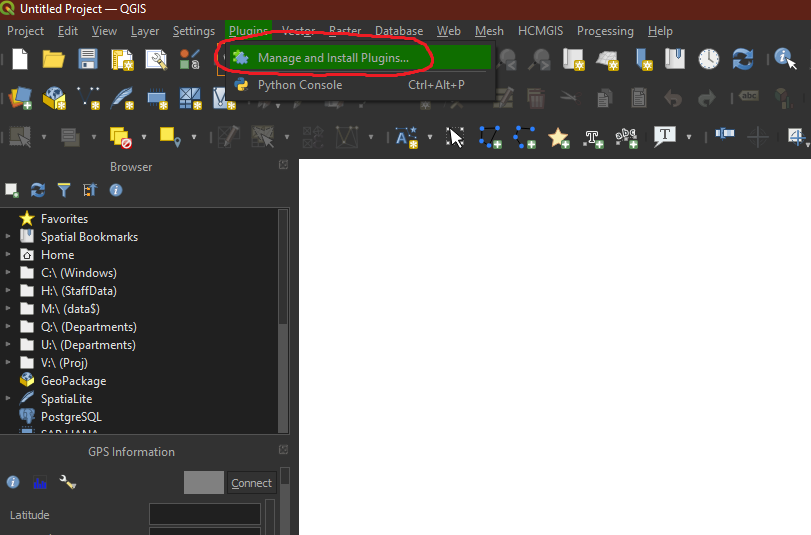
Go to Plugins -> Manage and install plugins
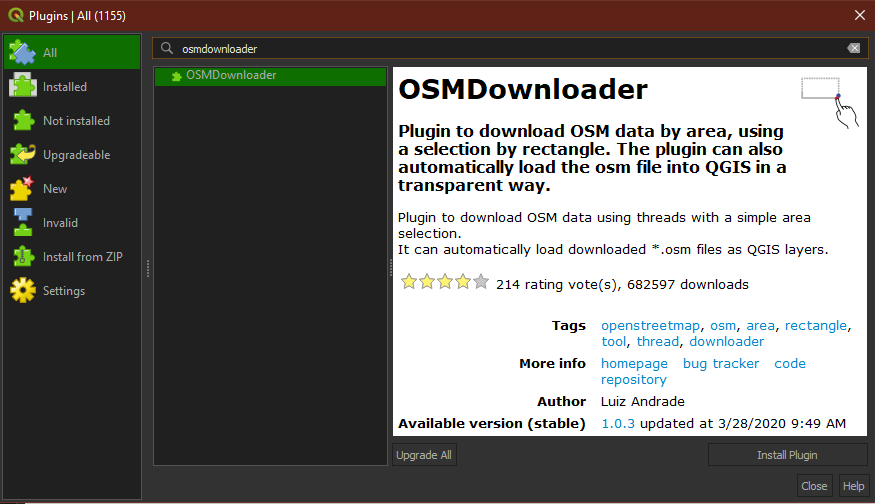
Search for and install the plugin called ‘OSMDownloader’.
After installing the OSMDownloader plugin, a new button will appear on the toolbar.
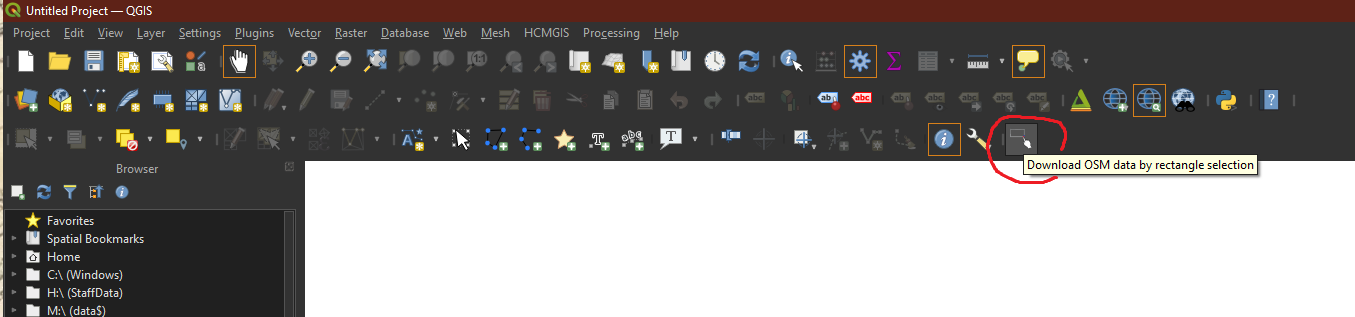
Activate the tool and use it to draw a rectangle around your area of interest. (Tip: If you would like to add a basemap to help you visually locate your geographic area of interest, the QuickMapServices plugin will allow you to add tiled layers from Google, Esri, NASA, and others).
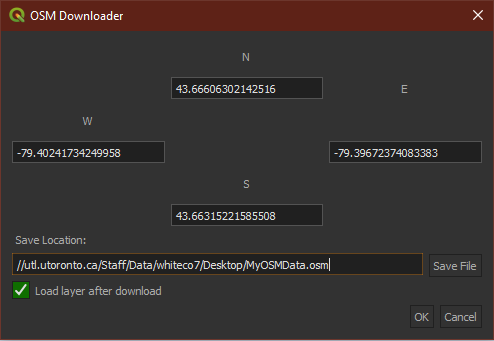
A dialog box will appear showing the coordinates of the extent you’ve just defined. Choose a save location for the OSM data. Check the ‘Load layer after download’ box. Click OK.
The OSM data layers will appear on the map and in the Layers pane.