Finding/extracting/downloading GIS data using Scholars GeoPortal
This tutorial provides an example of finding, extracting, and downloading data from Scholars GeoPortal. Scholars GeoPortal is a geospatial discovery tool that provides access to large scale geospatial datasets that can be used for mapping or analysis. Scholars Geoportal can be used to access both vector and raster data on a variety of topics such as land-use, transportation networks, census geography, aerial imagery, geology, and more.
Scholars GeoPortal is part of a growing collection of the Ontario Council of University Libraries (OCUL). Scholars GeoPortal allows users to customize their data extracts by selecting the appropriate area of interest, temporal extent, file format, and coordinate system for their work. This tutorial consists of 15 steps. For this tutorial, we are interested in finding, extracting, and downloading the latest data of the following criteria from Scholars GeoPortal:
Data: Cartographic Boundary Files (CBF), 2016 Census
Area of Interest: CMA of Toronto
Temporal Extent: 2016
File Format: Shapefile (.shp)
Coordinate System: UTM - Zone 17N
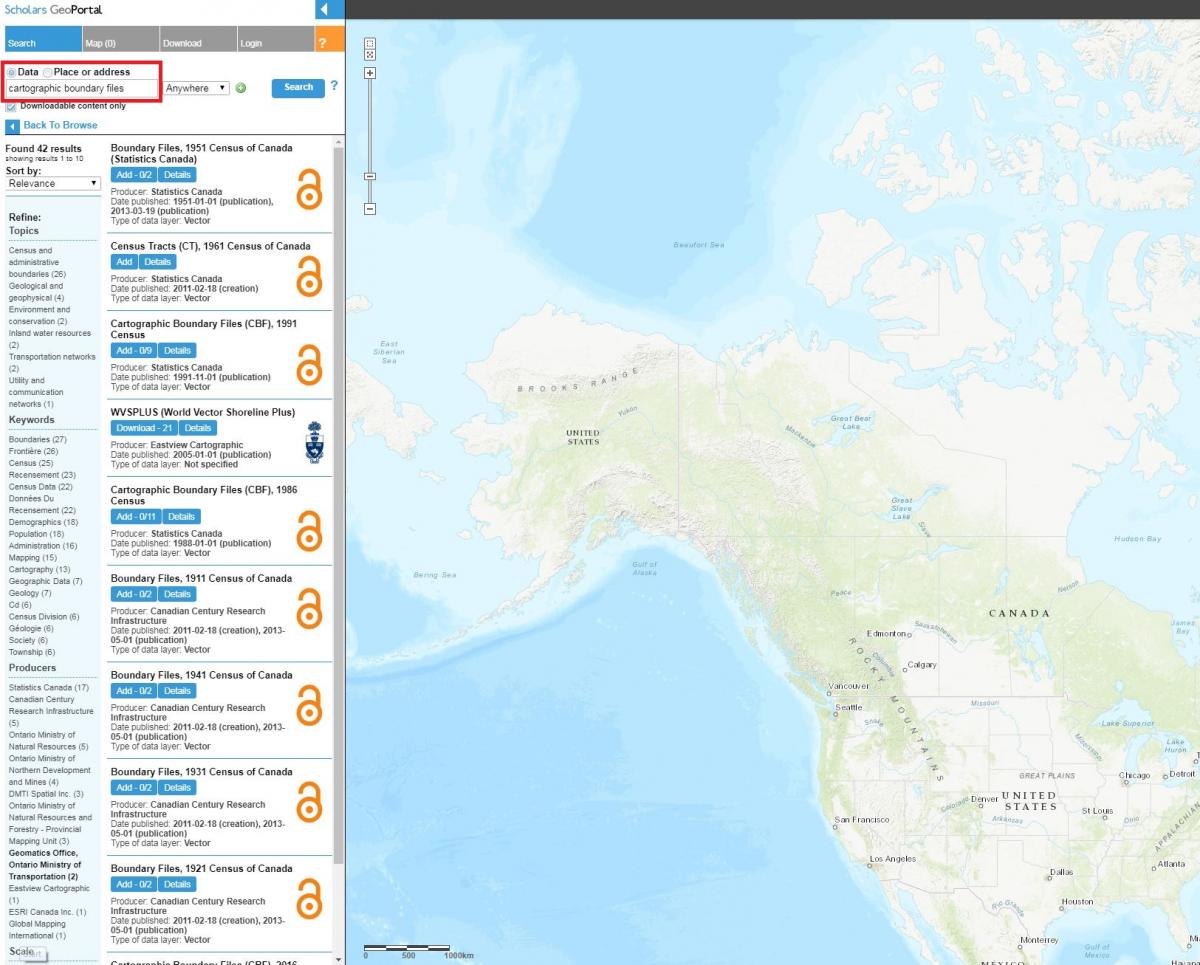
Visit Scholars GeoPortal and enter ”cartographic boundary files” into the search bar while Data is selected
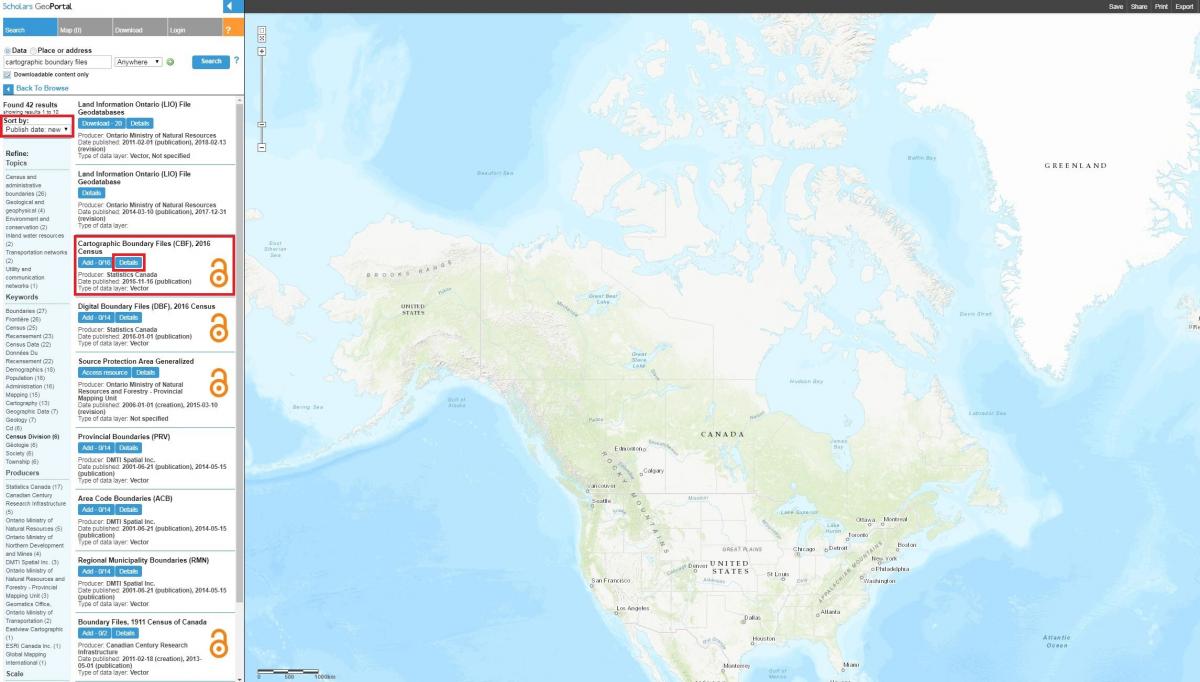
Under Sort by, select the Publish date: new option in the dropdown menu.
Click the blue Details button under Cartographic Boundary Files (CBF), 2016 Census produced by Statistics Canada
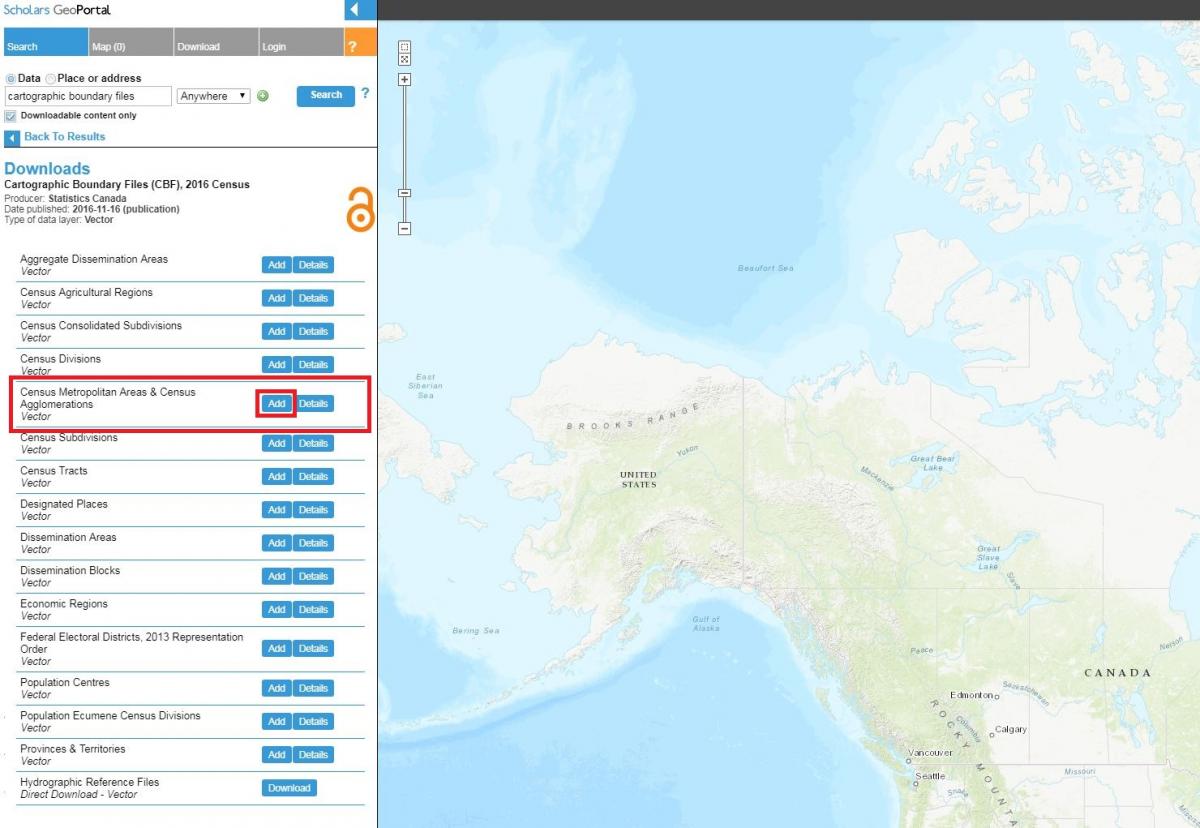
Click the blue Add button to choose your census geographic level of interest.
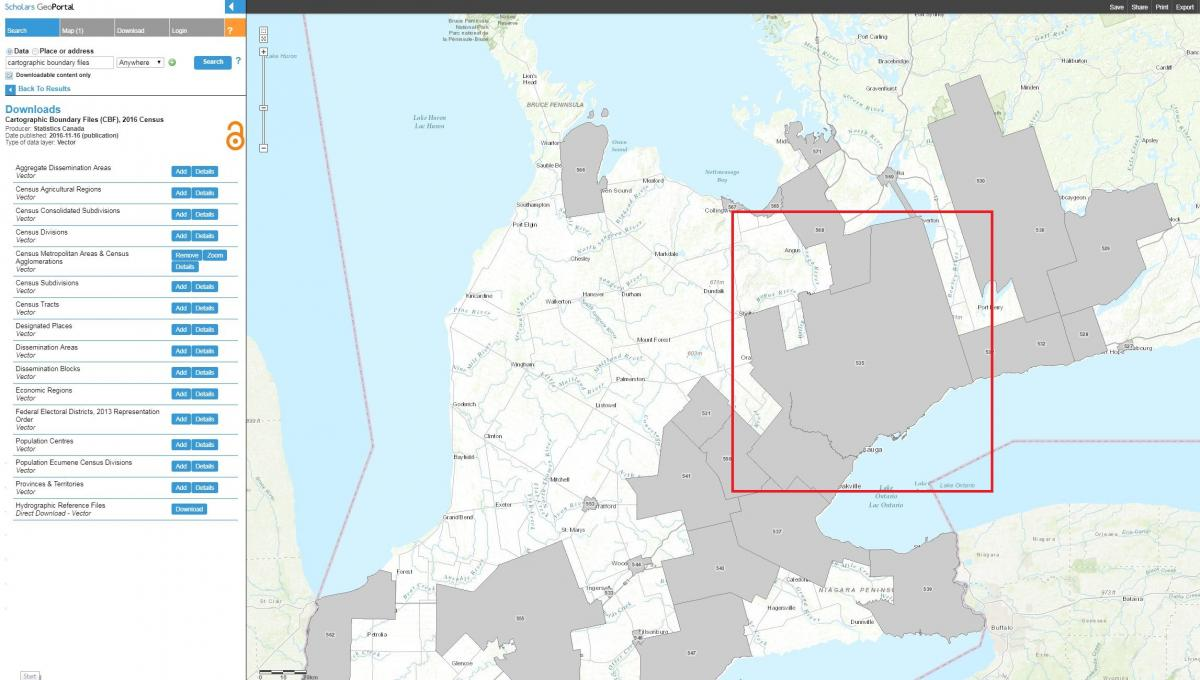
Highlight your cursor over Census Metropolitan Areas & Census Agglomerations and click the blue Add button in the same line to generate a live preview of the data on the map
You will now see gray polygons previewing all available CBF from the 2016 Census across Canada at the Census Metropolitan Areas & Census Agglomerations level
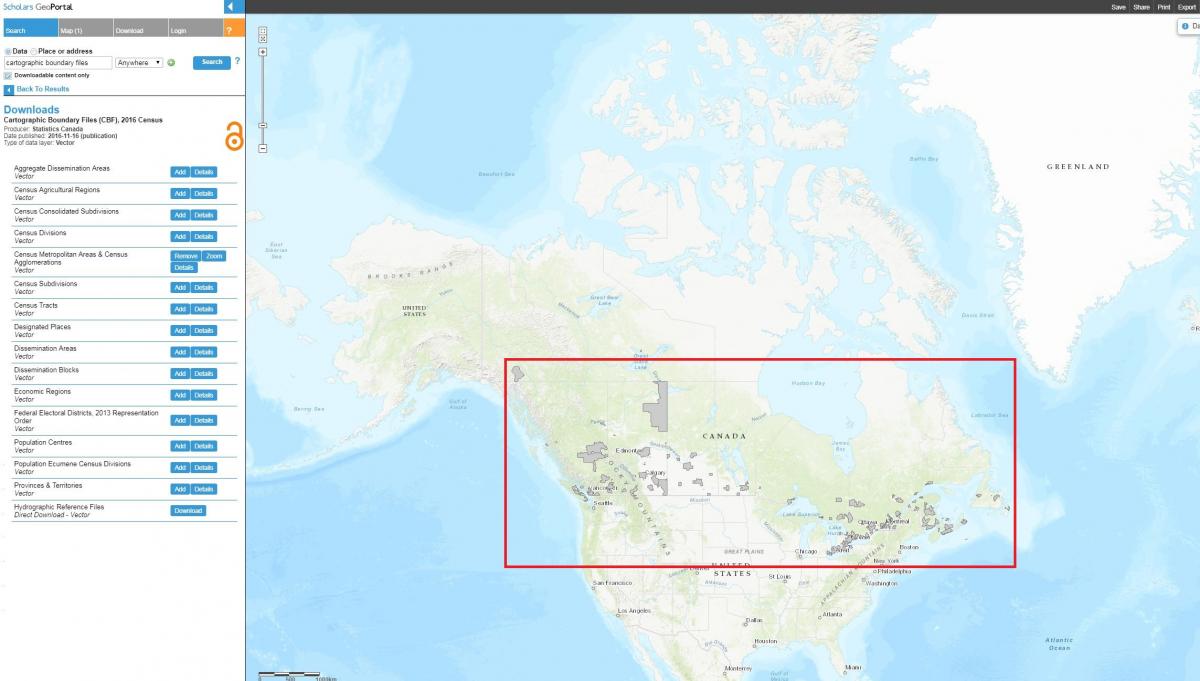
Manually zoom and pan into the Toronto region on the map
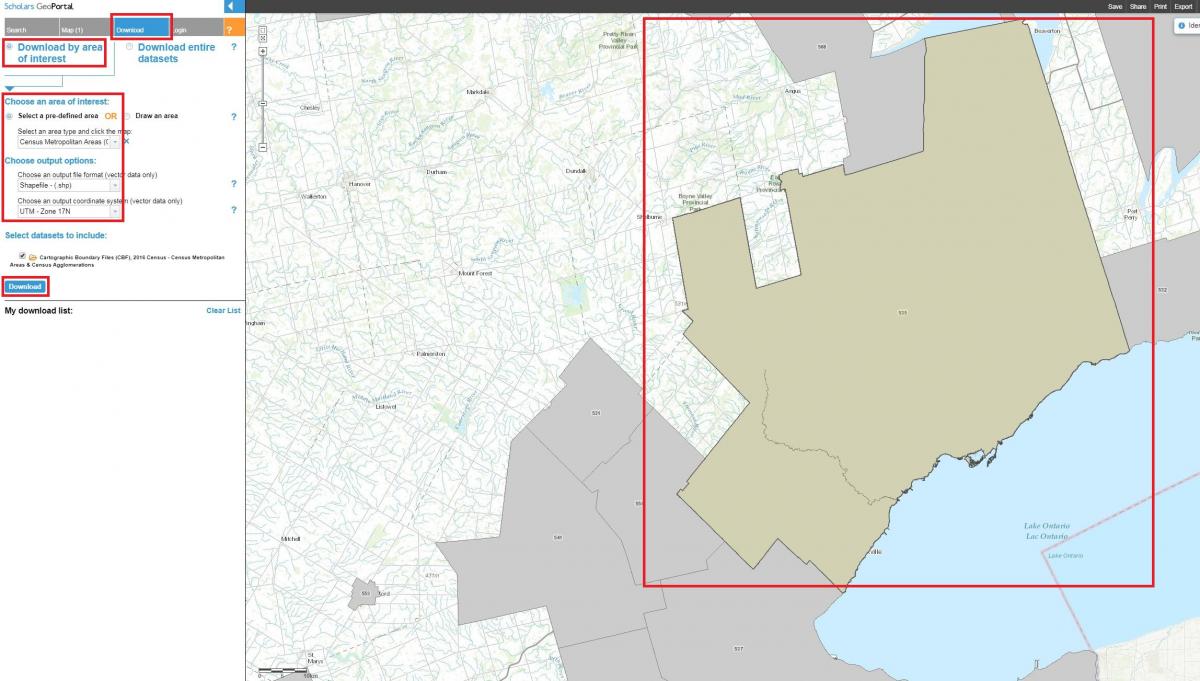
Click the gray Download tab at the top
Choose Download by area of interest
Choose Select a pre-defined area
Choose Census Metropolitan Areas (CMA) from the dropdown menu
Click once anywhere within the gray polygon of the Toronto region and the selected polygon will turn green
Choose an output file format and coordinate system of your choice (please note that a recommended coordinate system for Toronto is “UTM – Zone 17N”)
Click the blue Download button
Click the links to the ZIP files under My download list to download the item(s)*
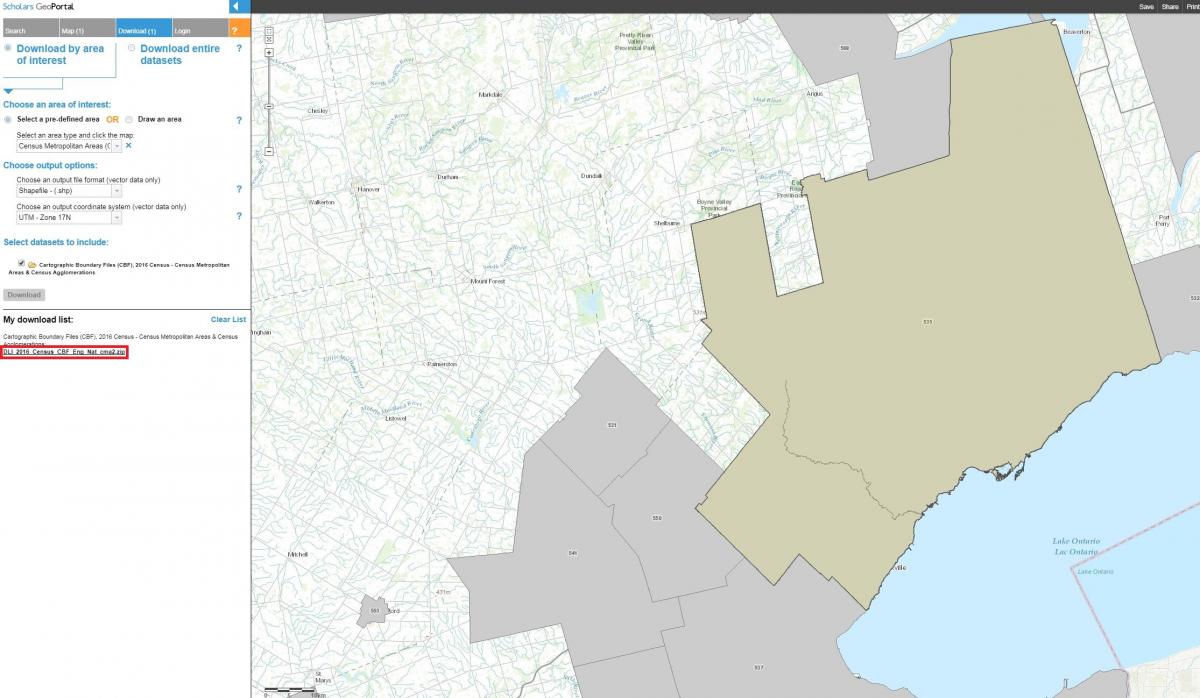
- Please note that any data selected for download is clipped to the entire census geography encompassing the data. Visit these links for more information on census geography unit definitions and the latest hierarchy of standard geographic areas for dissemination.
Tool: Scholars GeoPortal