Exploring Data
Data overview
Often, the first step after importing a dataset is to get an idea of the structure and the contents of a dataset. The following functions give you an overview of the dataset.
Use dim() to see the number of rows and columns.
dim(cchs)
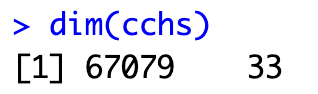
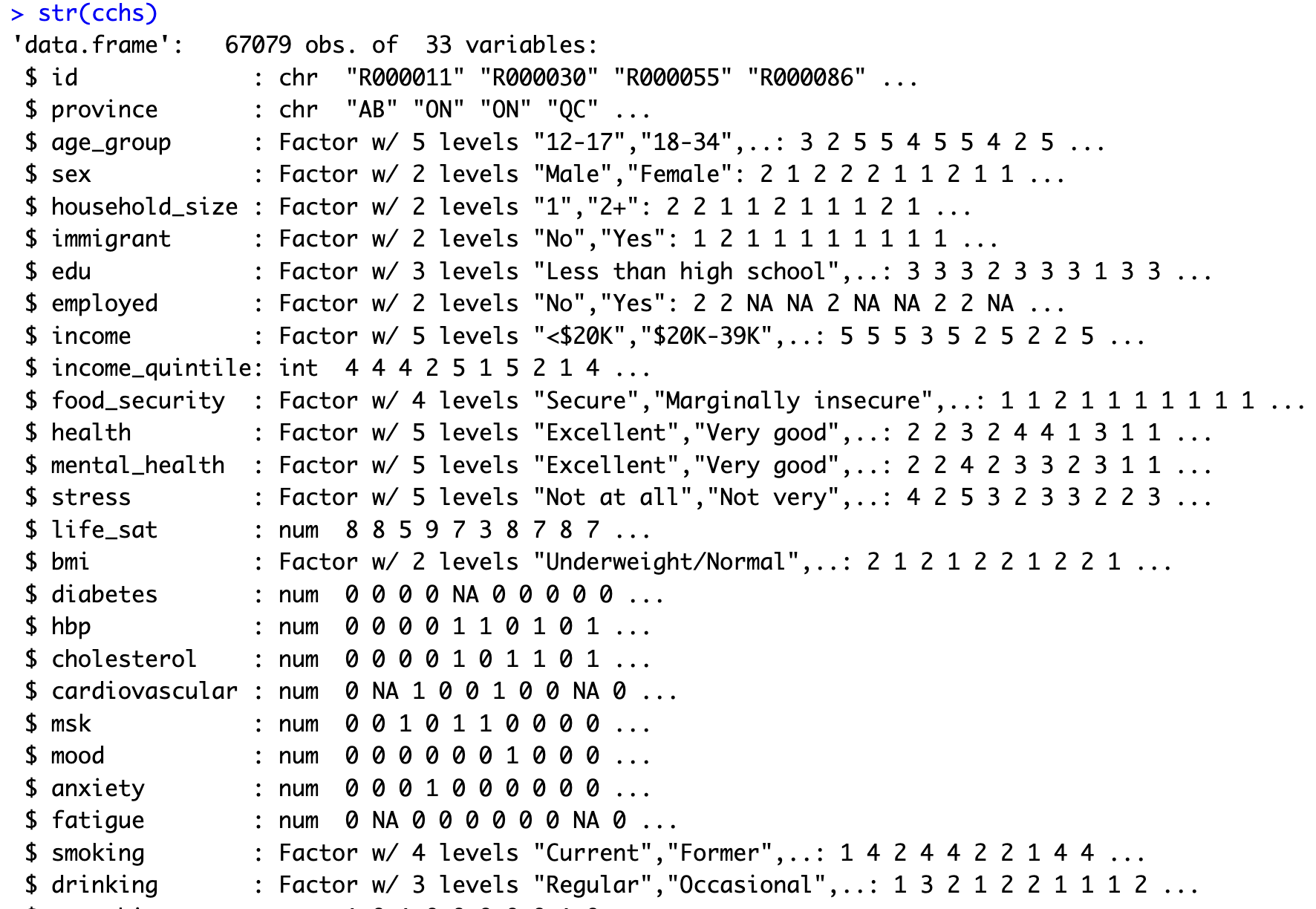
To view the structure of a dataset, use the str() function.
str(cchs)
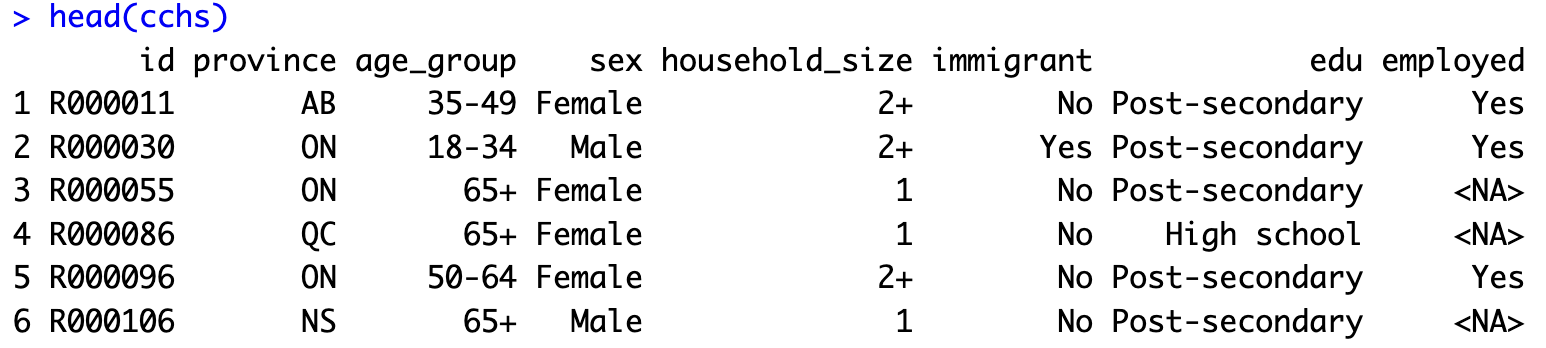
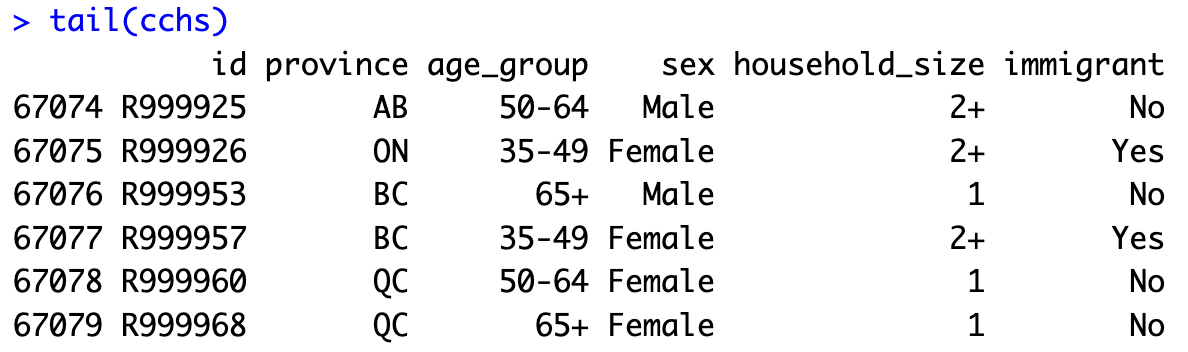
The head() function displays the first six rows of the dataset and tail() displays the last six rows.
head(cchs)
tail(cchs)
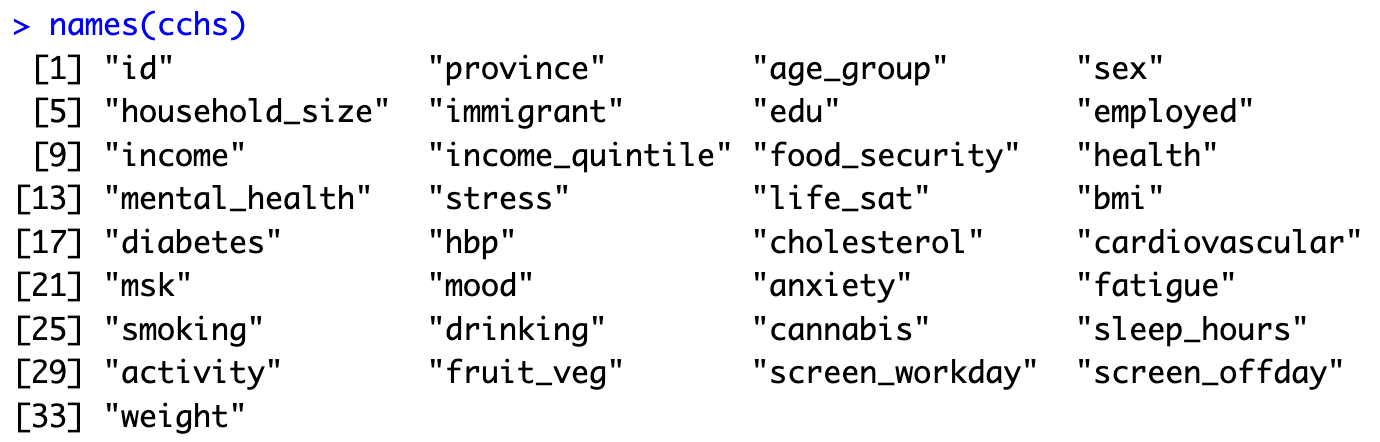
The names() function lists the column headings or the variable names. This can be useful if you want to modify the variable names to make them easier to understand or shorter.
names(cchs)
Displaying rows & columns: square brackets
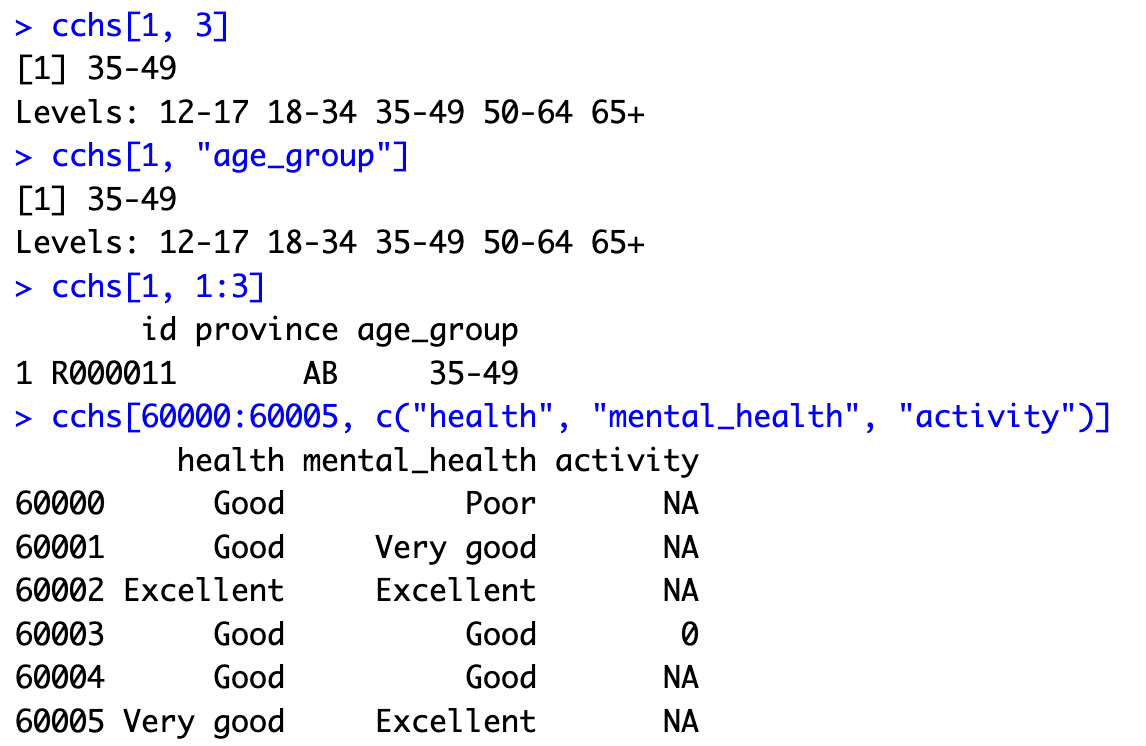
To display or, in R terminology, print the content of a dataset or a variable, type the dataset or the variable. A dataset has 2 dimensions. The first dimension is the row number and the second dimension is the column number. The two dimensions are separated by a comma. For example, cchs[1,3] prints the value in the first row and third column of the cchs dataset. To display a range of rows or a range of columns, use a colon. To display a list of variables, use c().
Note: Square brackets are used to display selections of data, whereas round brackets are used when working with functions.
cchs[1, 3]
cchs[1, "age_group"]
cchs[1, 1:3]
cchs[60000:60005, c("health", "mental_health", "activity")]
Variable: incorrect vs correct approach
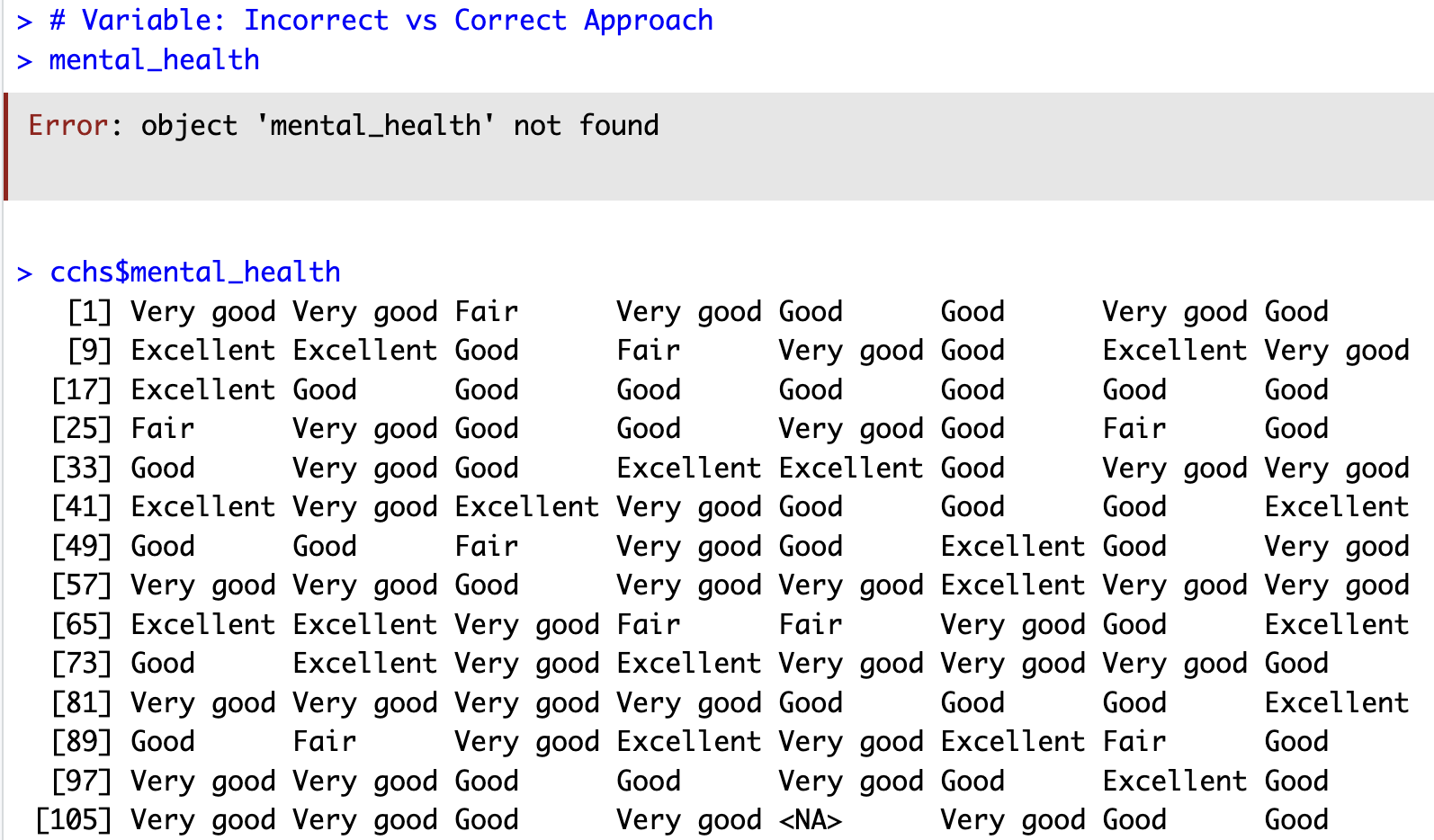
When we type a variable by itself, it gives us an error message. To access a variable, use the dollar sign “$”. For example, cchs$mental_health returns the mental_health variable.
mental_health
cchs$mental_health
Frequency tables
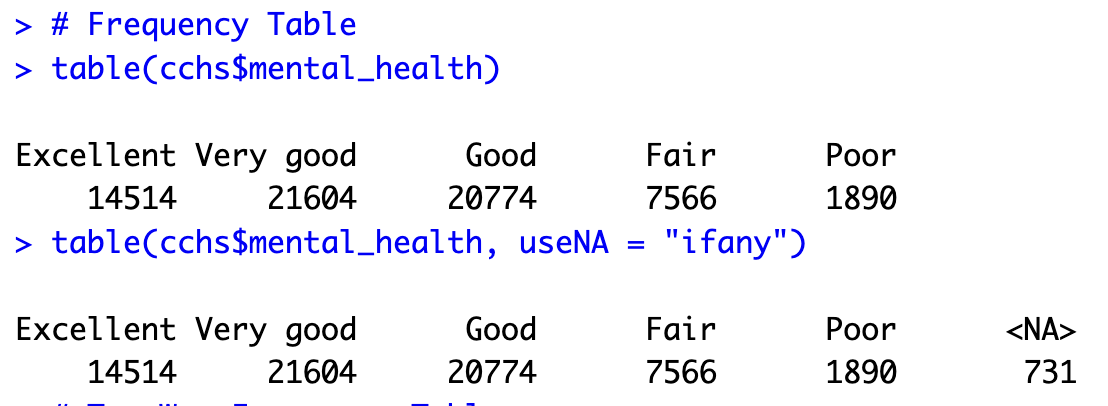
The table() function can be used to make a frequency table. You will also find functions from external packages that can be used to make frequency tables.
table(cchs$mental_health)
table(cchs$mental_health, useNA = "ifany")
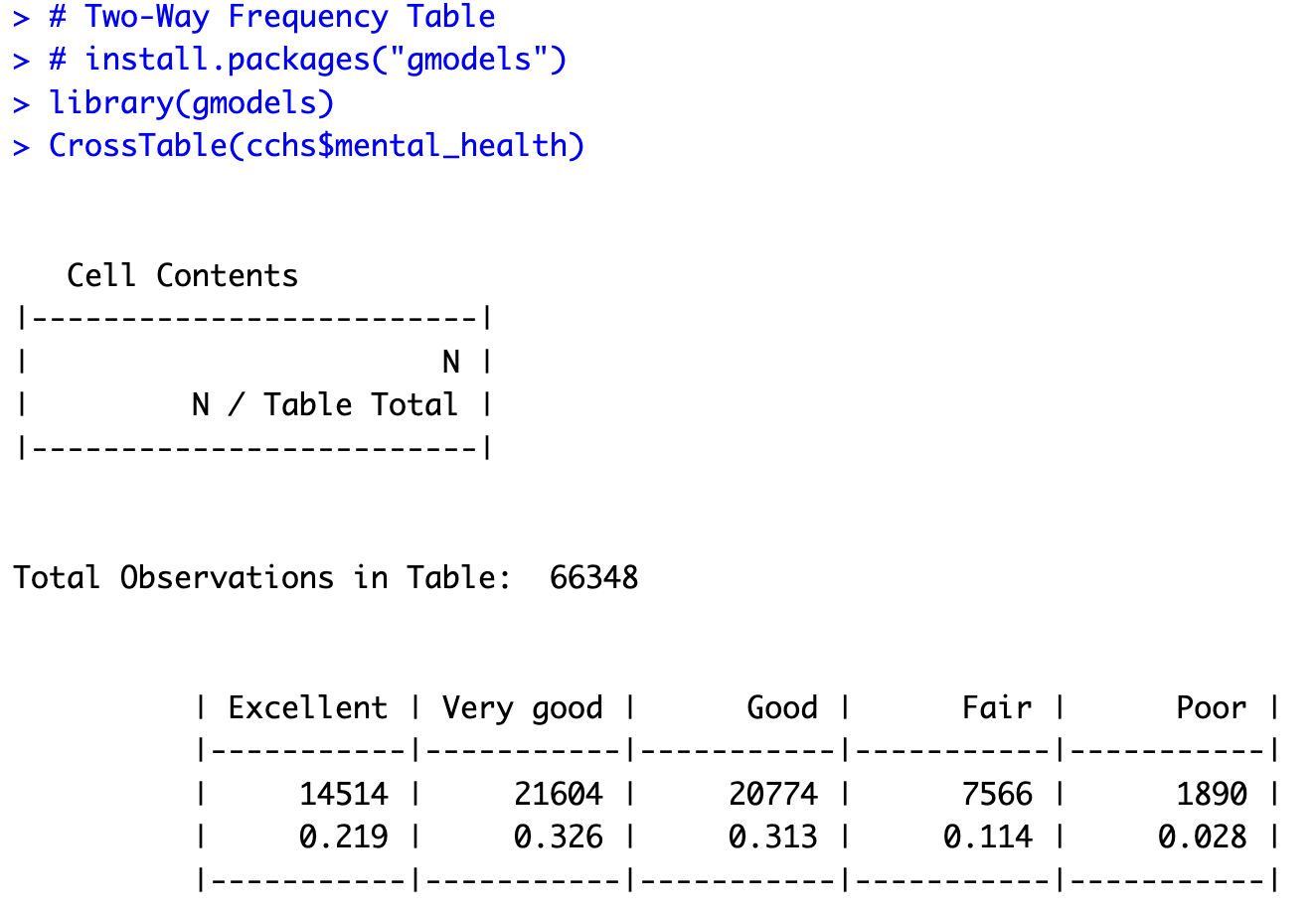
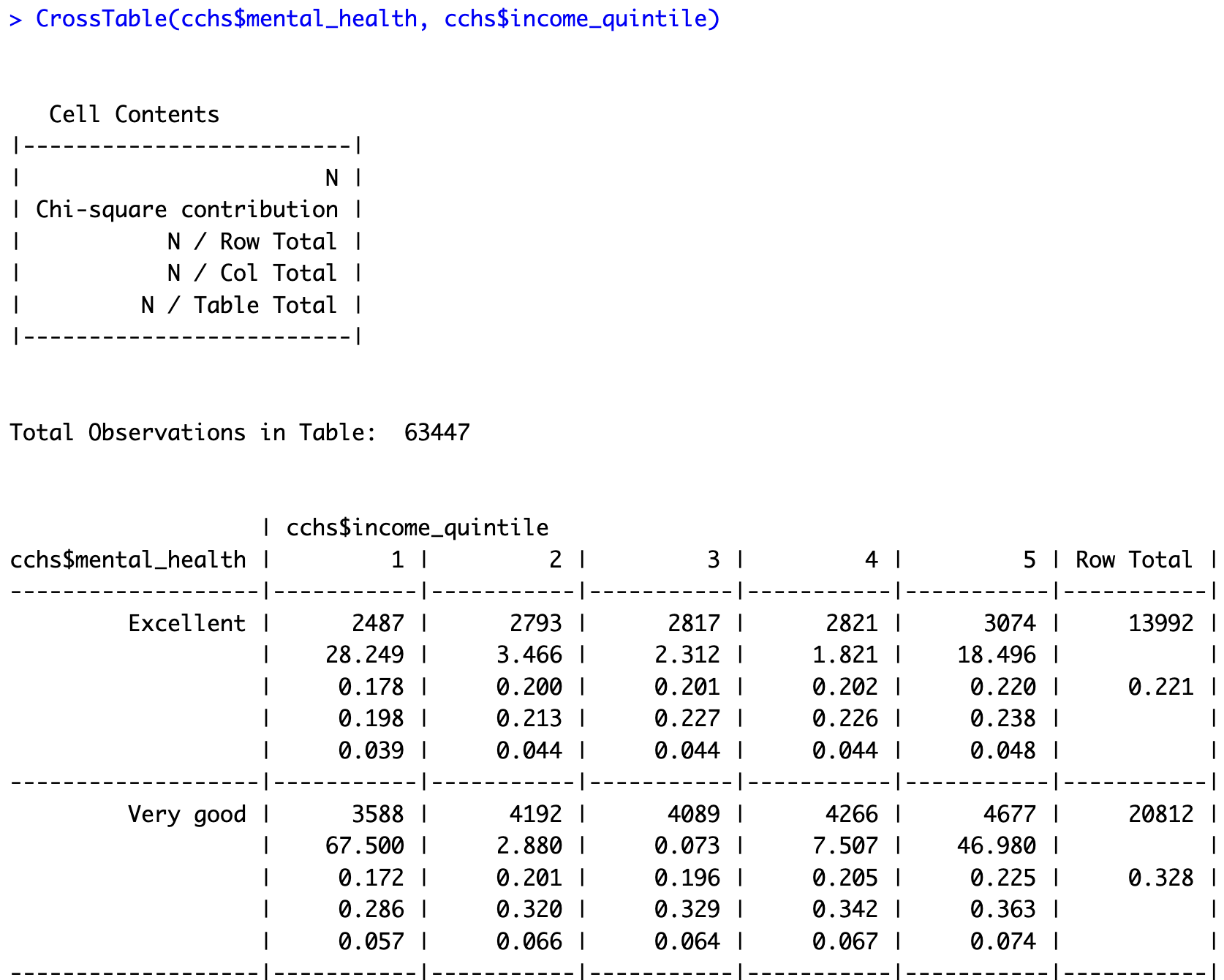
You can use the CrossTable() function from the gmodels package to make one-way and two-way frequency tables. First, you need to install the gmodels package using the install.packages() function and load it using the library() function. By default, CrossTable() leaves out missing values.
install.packages("gmodels")
library(gmodels)
CrossTable(cchs$mental_health)
CrossTable(cchs$mental_health, cchs$income_quintile)
Missing data
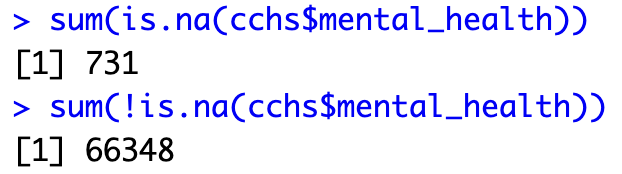
The is.na() function is used to identify missing values. It gives the results TRUE or FALSE. To get the total number of missing values in a column, we can use the sum() function on the is.na() function. Similarly, to get the total number of non-missing values, we can add an exclamation mark before is.na() to indicate NOT MISSING.
is.na(cchs$mental_health)

sum(is.na(cchs$mental_health))
sum(!is.na(cchs$mental_health))
Summary statistics
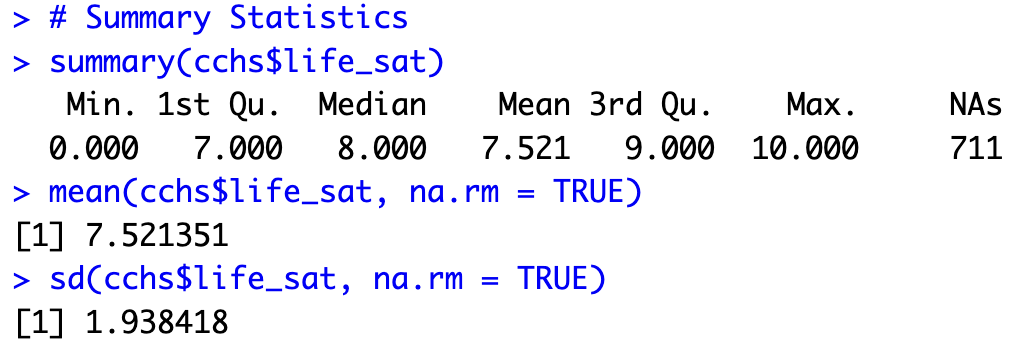
The summary() function gives a summary of an object. If the object is a dataset, it gives a summary of all the variables in a dataset and if it is a variable, it gives a summary of the variable. To calculate the mean and the standard deviation specifically, use the mean() and sd() functions. mean() and sd() need na.rm = TRUE to ignore missing values.
summary(cchs$life_sat)
mean(cchs$life_sat, na.rm = TRUE)
sd(cchs$life_sat, na.rm = TRUE)
Additional functions that can give specific summary statistics are fivenum(), min(), mean(), max(), var(), quantile().
To obtain the summary statistics of life satisfaction scores for a subset of the dataset, we can enter the subset condition in square brackets in front of the variable. For example, the following code gives the summary statistics of life satisfaction scores for Ontario respondents only.
summary(cchs$life_sat[cchs$province == "ON"])

Grouped summary statistics
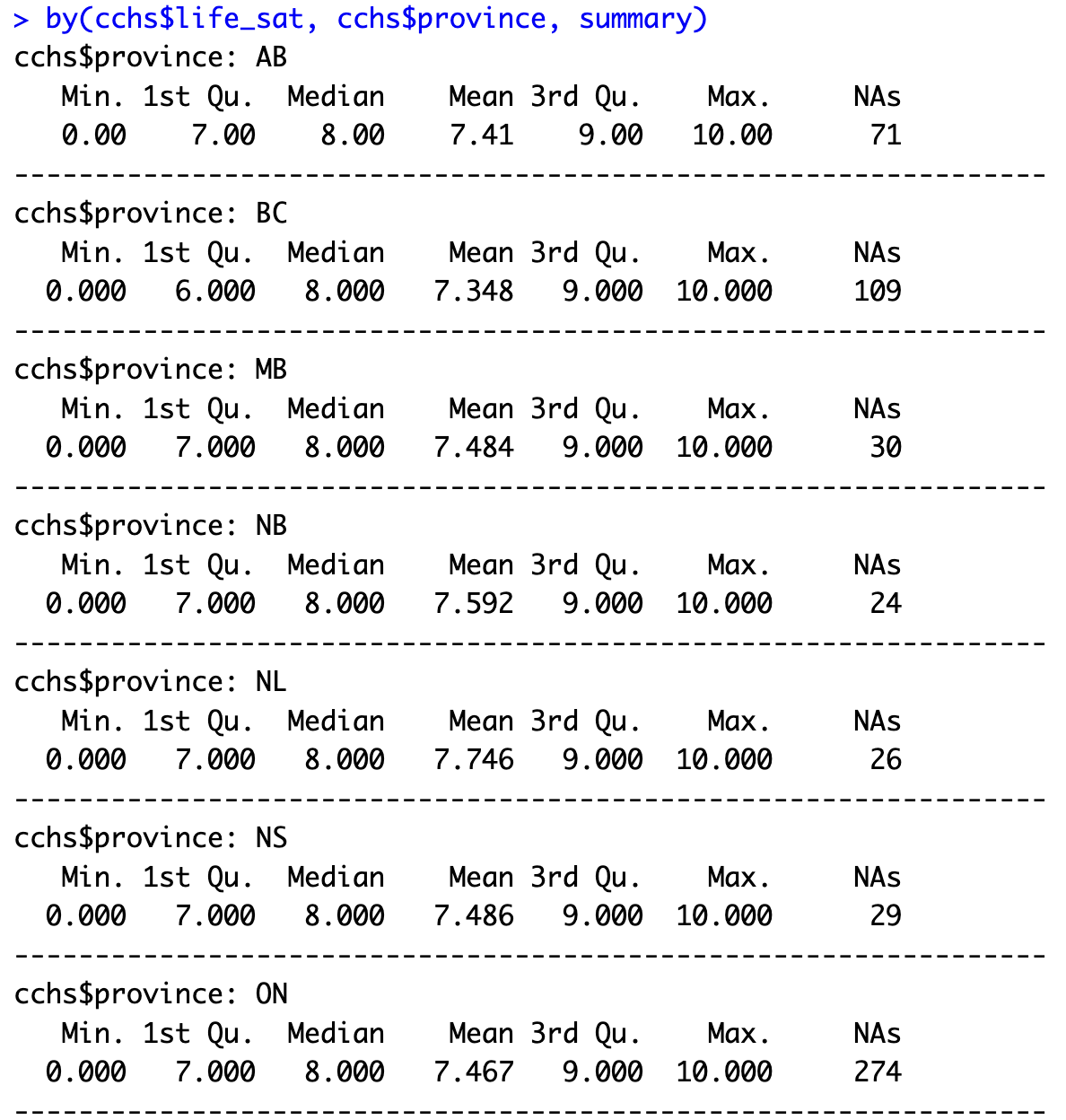
The by() function can be used to view summary statistics of life satisfaction by province or by food security category.
# life_sat grouped by province
by(cchs$life_sat, cchs$province, summary)
# life_sat grouped by food_security
by(cchs$life_sat, cchs$food_security, summary)
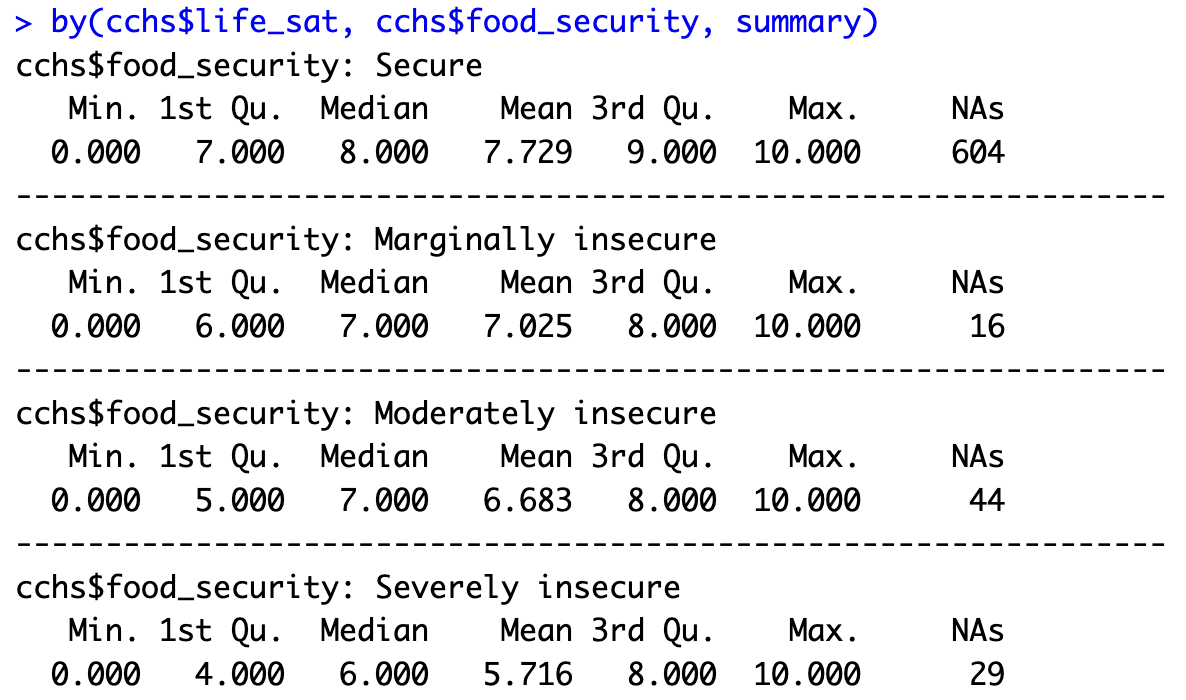
aggregate() gives the same summaries in one compact table.
# Alternative approach to by()
aggregate(life_sat ~ food_security, data = cchs, summary)

Technique: Converting data formats, Cleaning data, Extracting data
Tools: R
Data Format: Statistics