Graphs
The following code examples can be used to create bar charts, histograms, and scatterplots. These are just a few of the many graphs that can be produced using R. Each example demonstrates how additional elements and information can be added to enhance the data visualization. The images shown below were created using the final version of the code in each example.
Bar chart
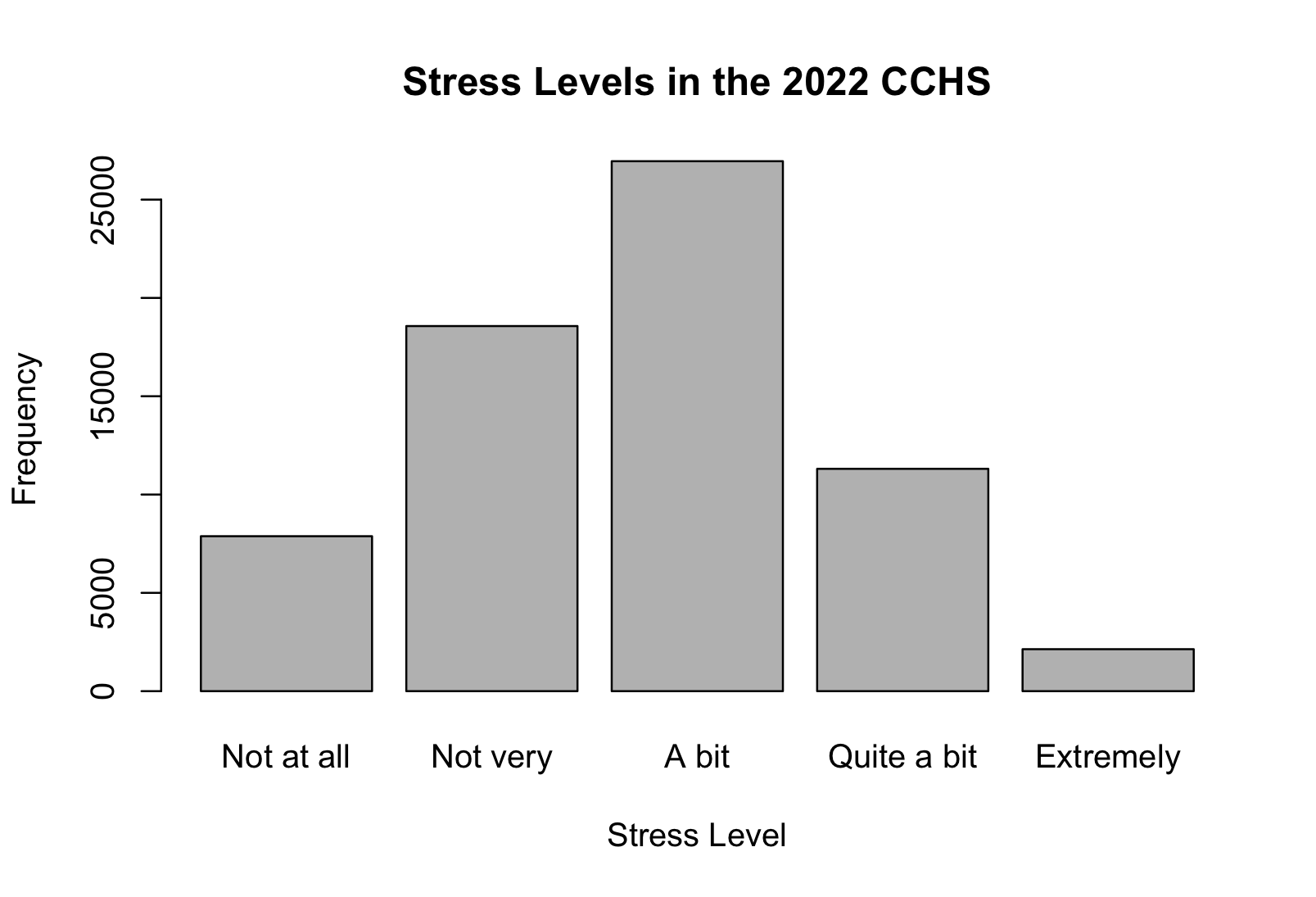
# Bar chart
stress_table <- table(cchs$stress)
barplot(stress_table)
barplot(stress_table,
        main = "Stress Levels in the 2022 CCHS",
        ylab = "Frequency",
        xlab = "Stress Level")
Histogram
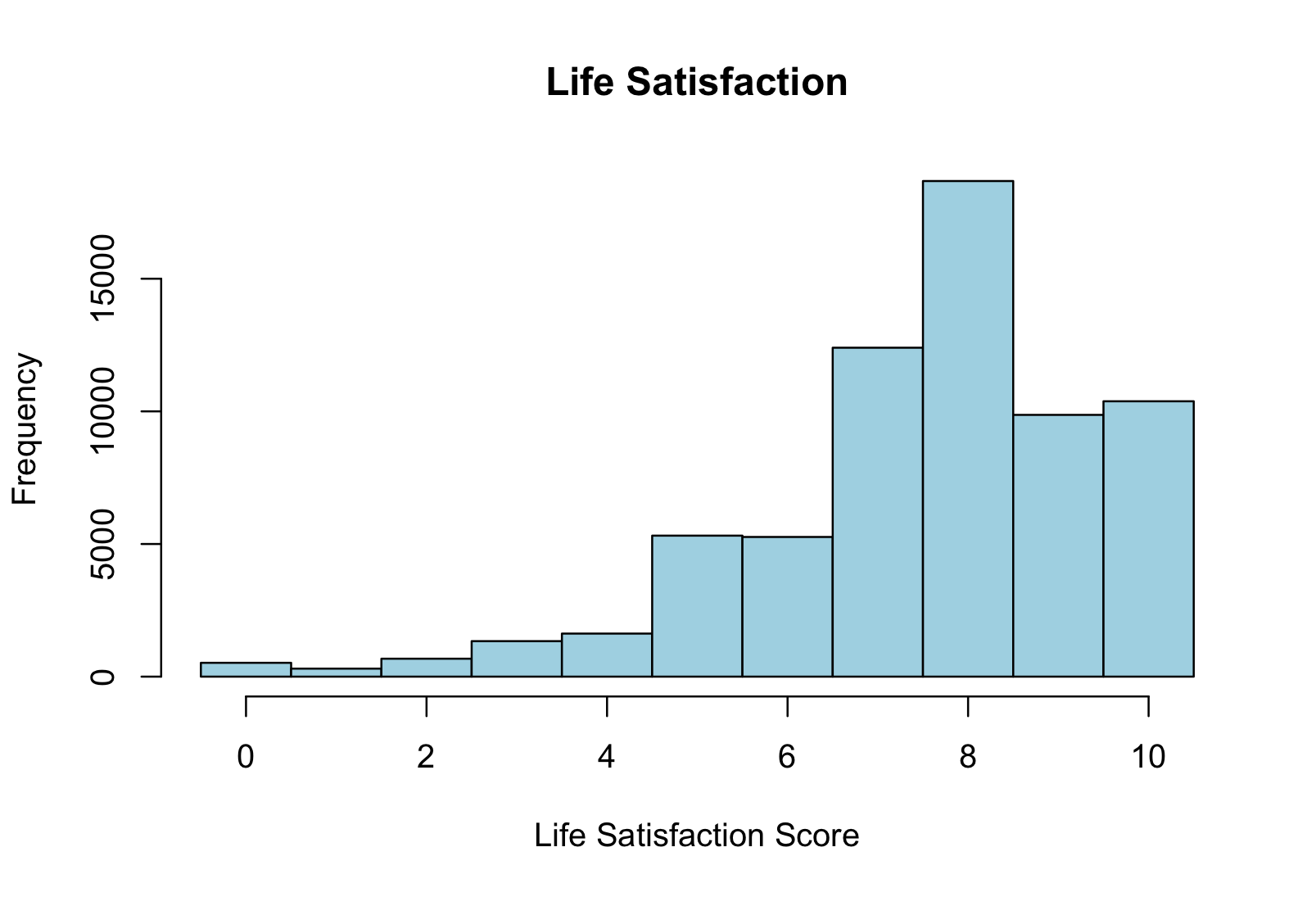
# Histogram
hist(cchs$life_sat)
hist(cchs$life_sat, breaks = seq(-0.5, 10.5, by = 1))
hist(cchs$life_sat,
     breaks = seq(-0.5, 10.5, by = 1),
     main = "Life Satisfaction",
     xlab = "Life Satisfaction Score",
     col = "lightblue")
Scatterplot
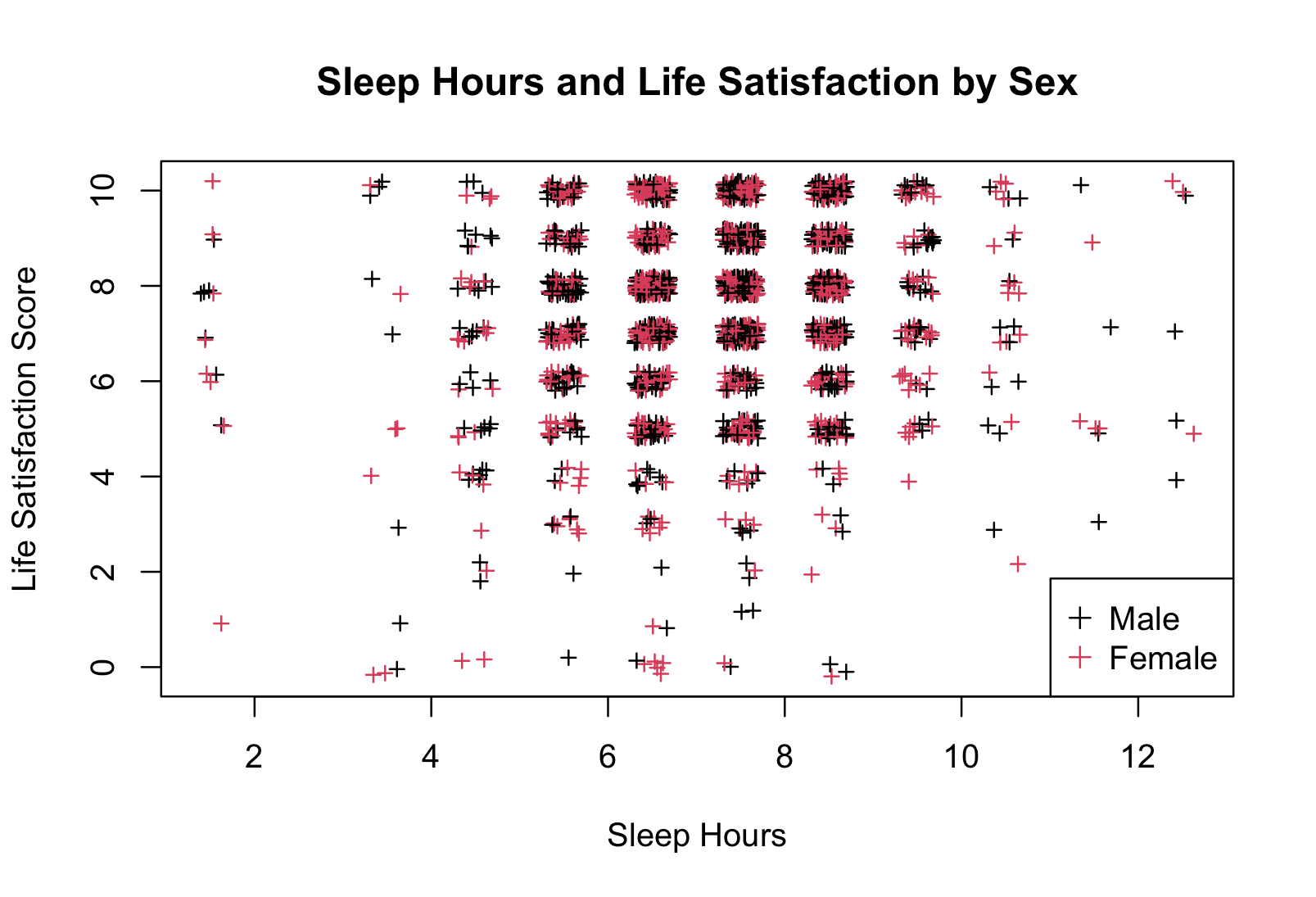
# Scatterplot
plot(cchs$sleep_hours, cchs$life_sat)
plot(jitter(cchs$sleep_hours), jitter(cchs$life_sat))
plot(jitter(cchs$sleep_hours), jitter(cchs$life_sat), pch = 3, cex = 0.7, col = "darkred")
plot(jitter(cchs$sleep_hours), jitter(cchs$life_sat), pch = 3, cex = 0.7, col = cchs$sex)
plot(jitter(cchs$sleep_hours), jitter(cchs$life_sat),
     pch = 3, cex = 0.7, col = cchs$sex,
     main = "Sleep Hours and Life Satisfaction by Sex",
     ylab = "Life Satisfaction Score",
     xlab = "Sleep Hours")

# Add legend
legend("bottomright", legend = levels(cchs$sex), col = 1:2, pch = 3)
Technique: Converting data formats, Cleaning data, Extracting data
Tools: R
Data Format: Statistics