Getting Power BI Downloaded & Installed
Once you have the Power BI Service Homepage open, navigate to the top right of the screen, where you’ll find the download button available. This will open a drop-down menu - select the Power BI Desktop option. This will open the Microsoft Store.
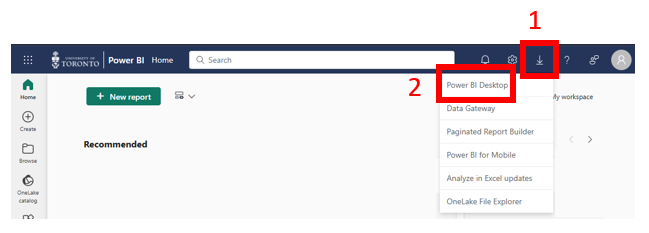
- If you are prompted to Open Microsoft Store, allow it and the Microsoft Store application will open.
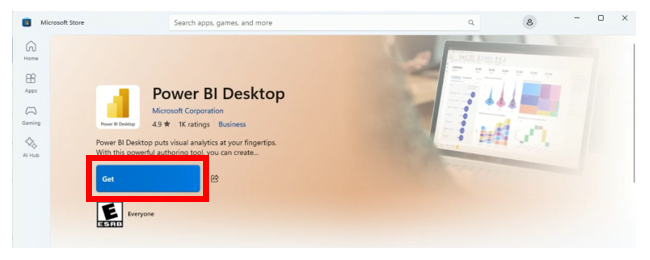
In the Microsoft Store, click on Get and the application will begin downloading to your device.
Technique: Data Visualization, Installation | Tools: Power BI