Logging into Power BI Desktop
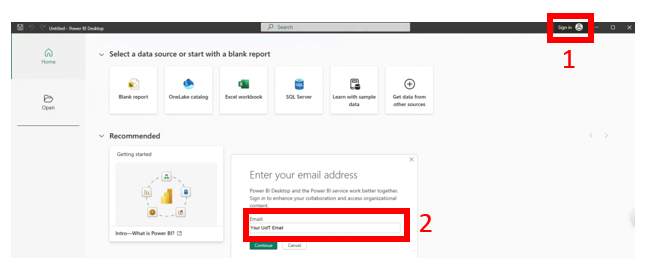
- Open the newly installed Power BI Desktop app. The splash page will allow you to sign-in. Use your UofT email address, which will prompt you to use your UTORid credentials again.
There may be a few steps of registering your account with the app. Once it has initialized, you are all set to use Power BI Desktop!
Technique: Data Visualization, Installation | Tools: Power BI