Scatterplot
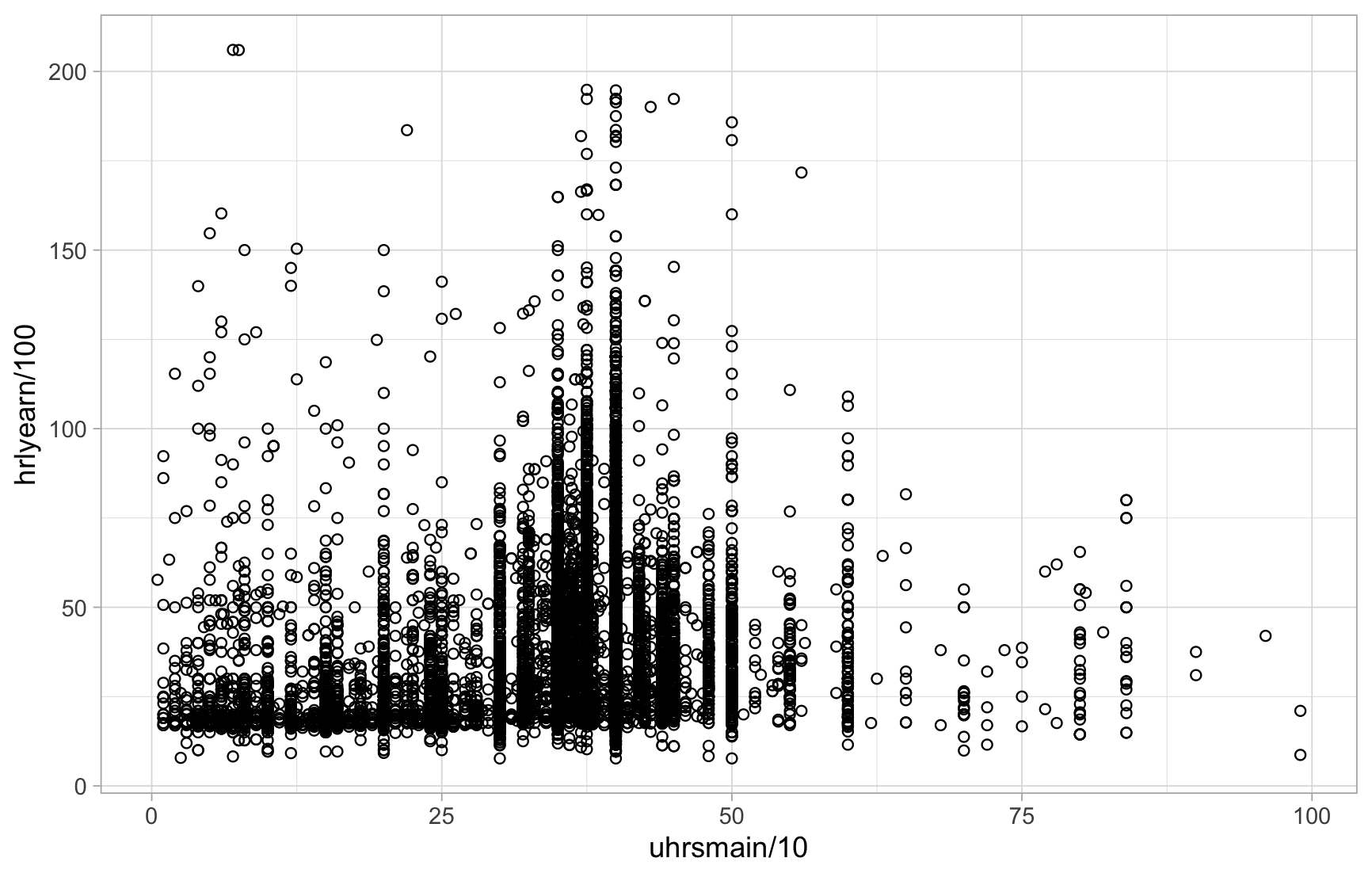
Use geom_point() to plot a scatterplot. The shape argument specifies the shape of each data point. The na.rm = TRUE argument tells R to ignore missing values and silences the warning about dropped rows.
Data: Labour Force Survey
ggplot(lfs26sep, aes(x = uhrsmain/10, y = hrlyearn/100)) +
  geom_point(shape = "circle open", na.rm = TRUE) +
  theme_light()
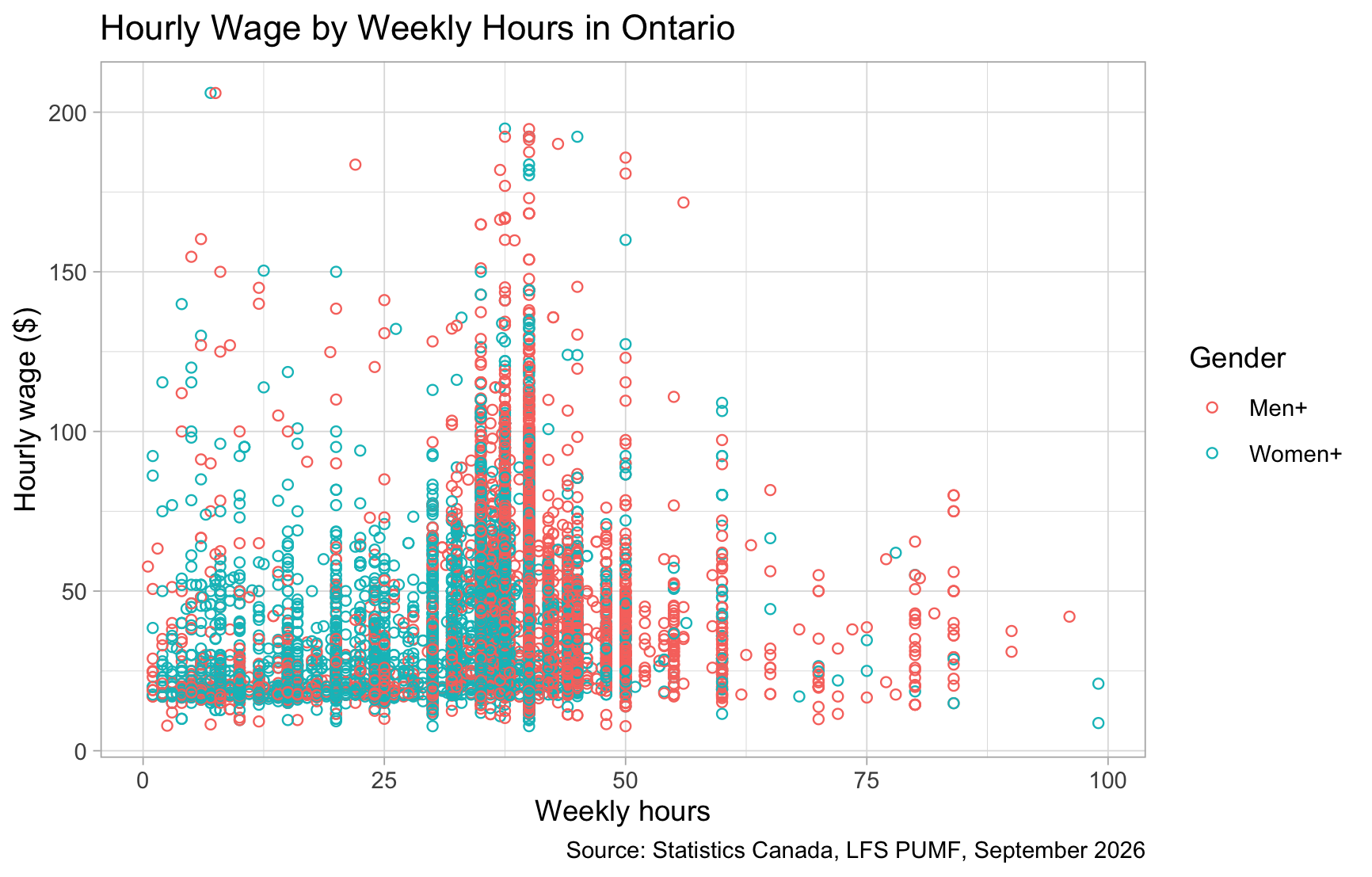
ggplot(lfs26sep, aes(x = uhrsmain/10, y = hrlyearn/100, colour = gender)) +
  geom_point(shape = "circle open", na.rm = TRUE) +
  theme_light() +
  ggtitle("Hourly Wage by Weekly Hours in Ontario") +
  xlab("Weekly hours") + ylab("Hourly wage ($)") +
  labs(colour = "Gender",
       caption = "Source: Statistics Canada, LFS PUMF, September 2026")
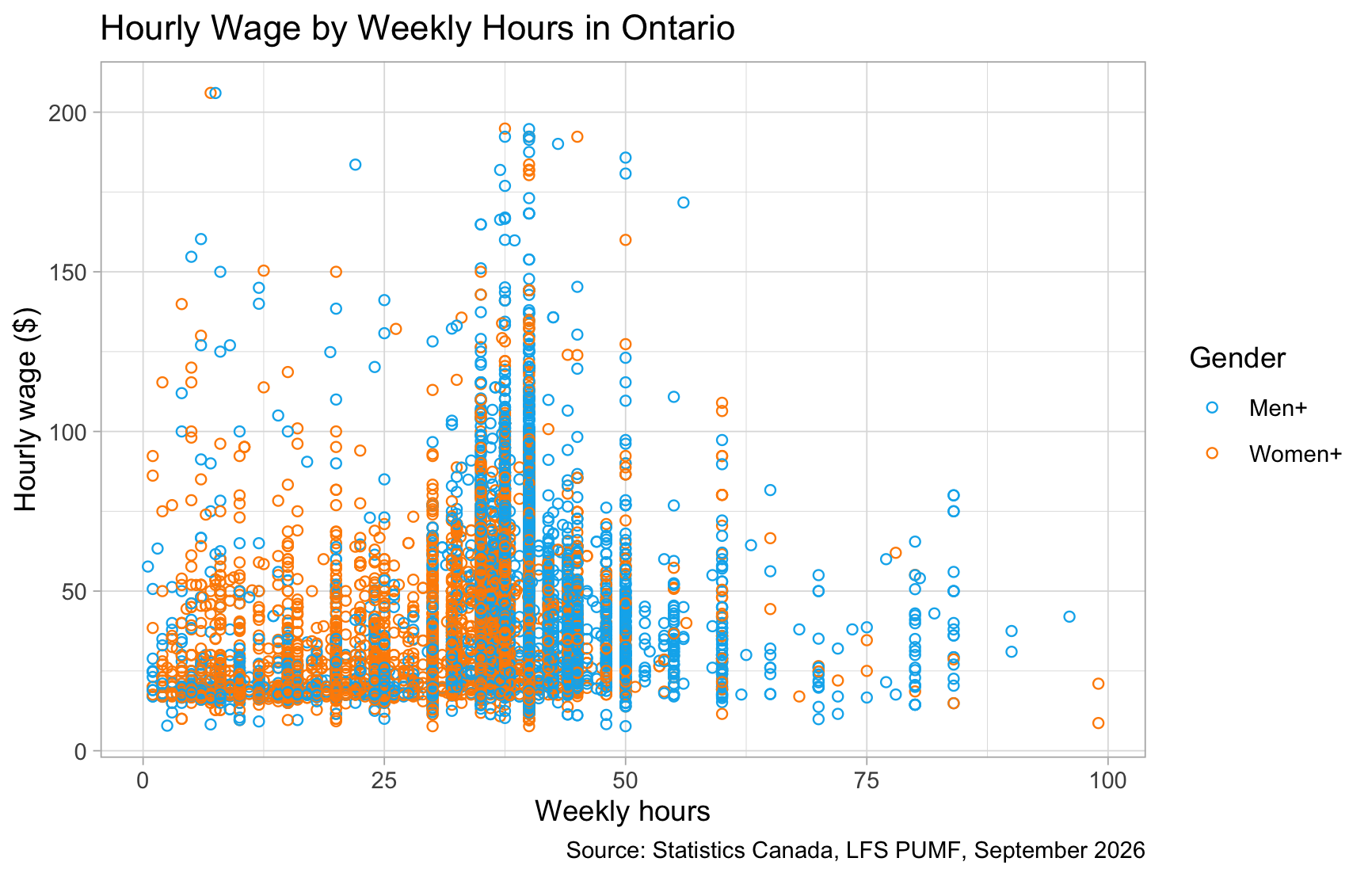
Colourpicker
The colourpicker package adds a colour picker to RStudio. After installing it, open Addins > Colour Picker, choose your colours, and copy their hex codes. Then pass them to scale_colour_manual(), one colour per group.
# 1) Using Colourpicker
install.packages("colourpicker")
gender_colours <- c("#00B2EE", "#FF8C00")
ggplot(lfs26sep, aes(x = uhrsmain/10, y = hrlyearn/100, colour = gender)) +
  geom_point(shape = "circle open", na.rm = TRUE) +
  theme_light() +
  ggtitle("Hourly Wage by Weekly Hours in Ontario") +
  xlab("Weekly hours") + ylab("Hourly wage ($)") +
  labs(colour = "Gender",
       caption = "Source: Statistics Canada, LFS PUMF, September 2026") +
  scale_colour_manual(values = gender_colours)
Brewer palettes
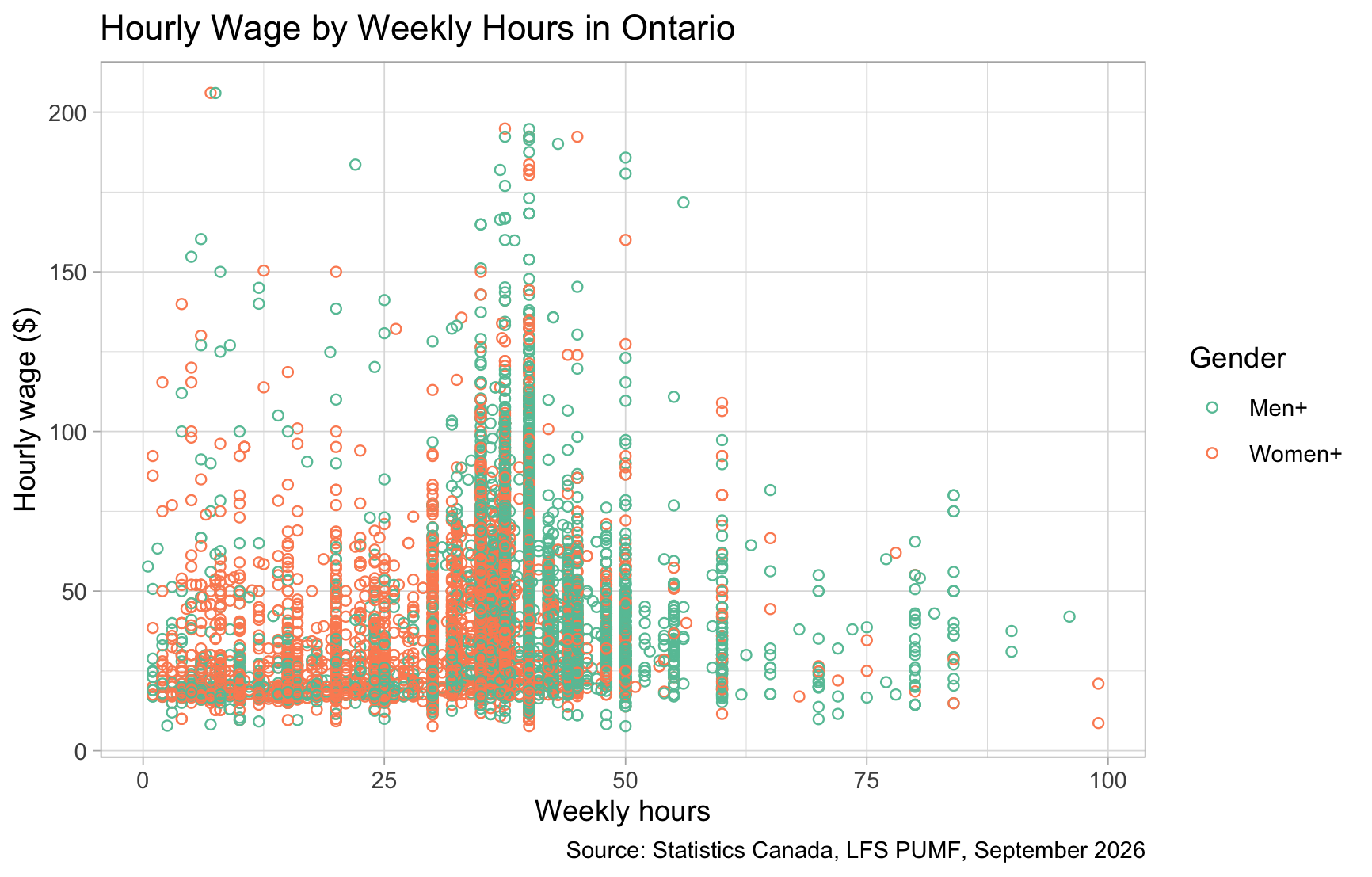
scale_colour_brewer() applies a ready-made palette. For groups with no natural order, like gender, use a qualitative palette such as “Set2”.
# 2) Using Brewer palettes
ggplot(lfs26sep, aes(x = uhrsmain/10, y = hrlyearn/100, colour = gender)) +
  geom_point(shape = "circle open", na.rm = TRUE) +
  theme_light() +
  ggtitle("Hourly Wage by Weekly Hours in Ontario") +
  xlab("Weekly hours") + ylab("Hourly wage ($)") +
  labs(colour = "Gender",
       caption = "Source: Statistics Canada, LFS PUMF, September 2026") +
  scale_colour_brewer(palette = "Set2")
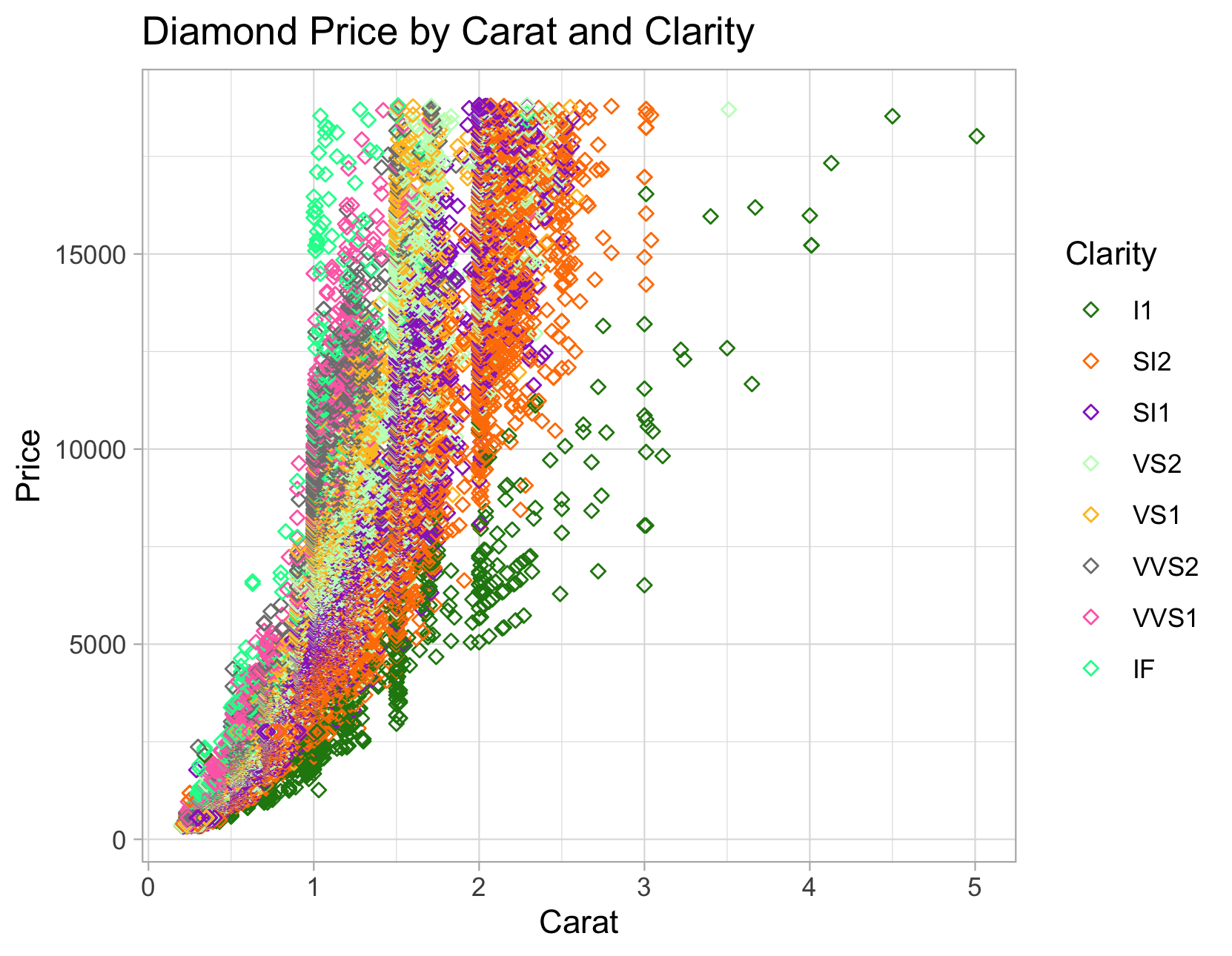
Data: Diamonds
data(diamonds)
install.packages("colourpicker")
clarity_colours <- c("#228510", "#FF7F00", "#9932CC", "#C1FFC1",
                     "#FFC125", "#7F7F7F", "#FF6EB4", "#00FA9A")
ggplot(diamonds, aes(carat, price, colour=clarity)) +
  geom_point(shape="diamond filled") +
  theme_light() +
  ggtitle("Diamond Price by Carat and Clarity") +
  xlab("Carat") + ylab("Price") +
  labs(colour = "Clarity") +
  scale_colour_manual(values = clarity_colours)