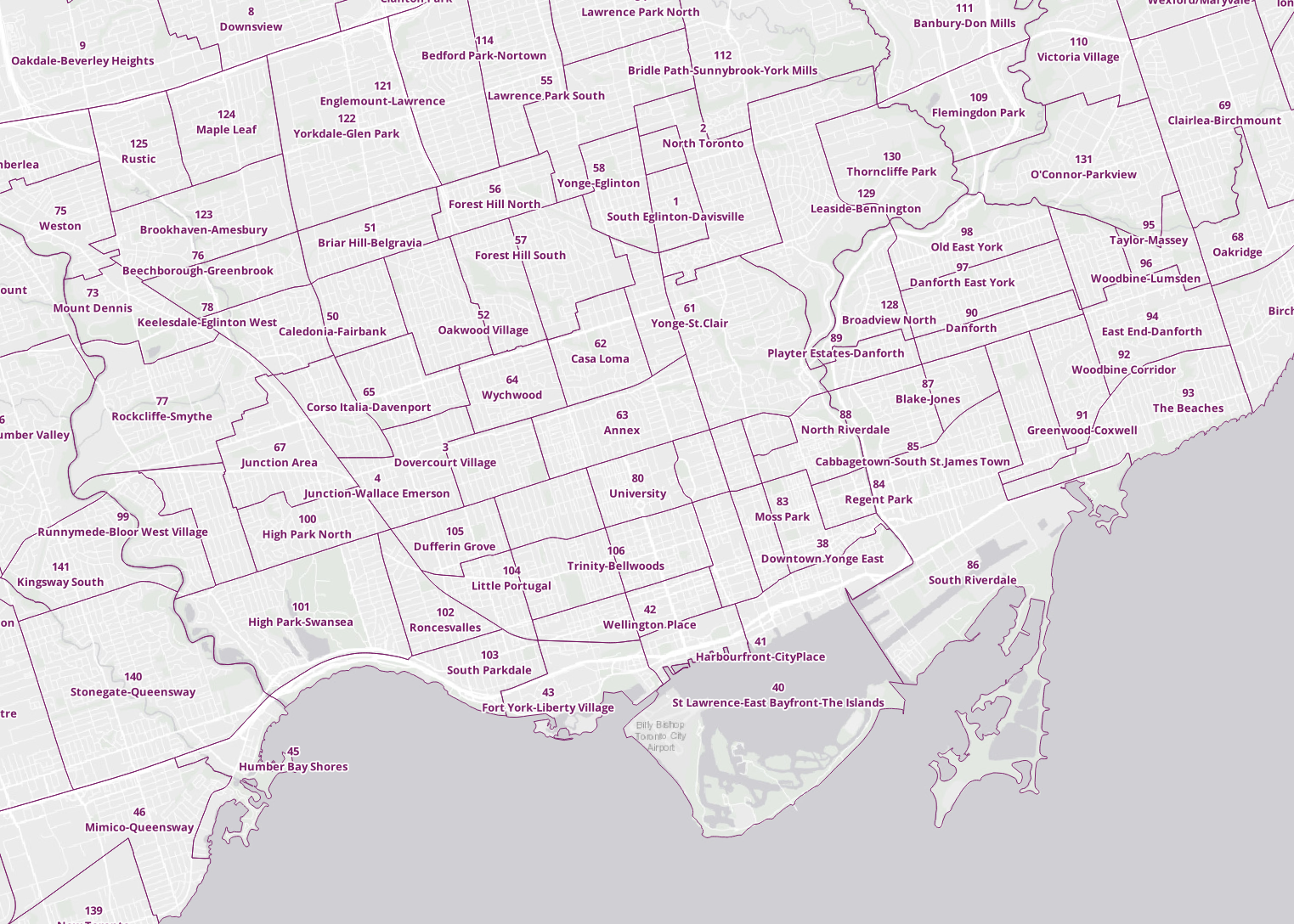
Labels
Add labels to the neighbourhoods layer:
• Right-click the layer in the Layers panel. Choose Properties. 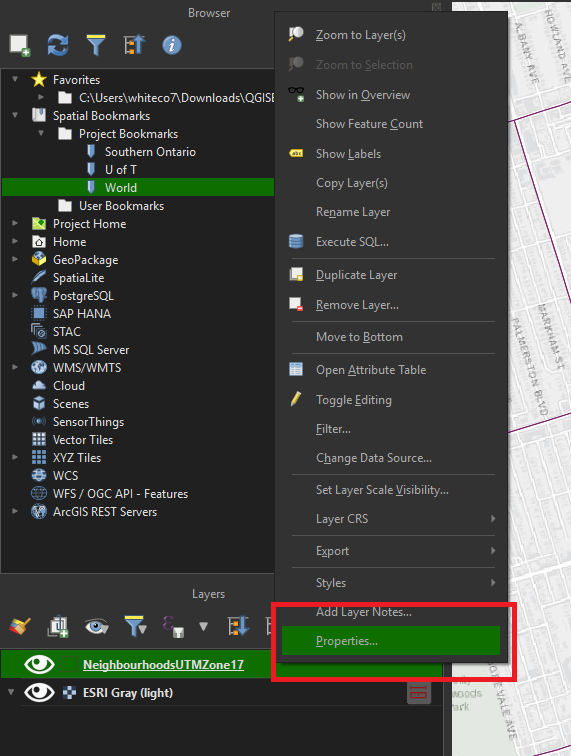
• Select the Labels tab. 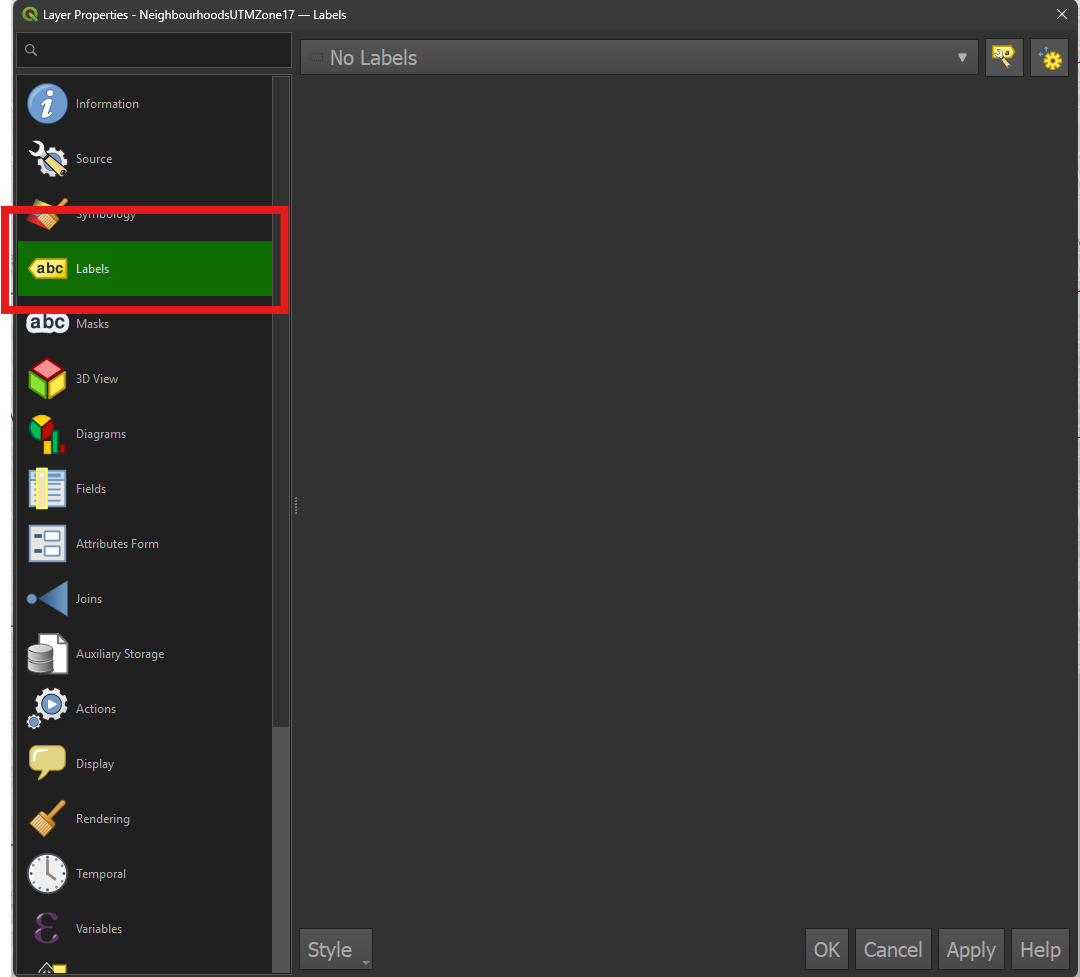
• From the dropdown, select Single Labels. 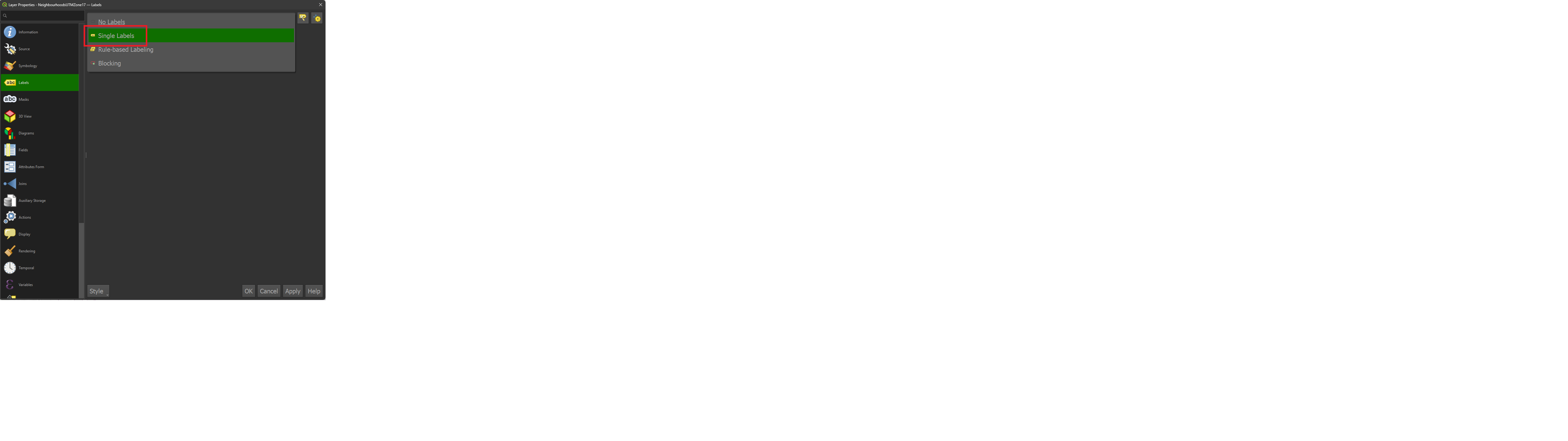
• Click OK. Labels will appear within each neighbourhood polygon. The label information is being pulled from the attribute table.