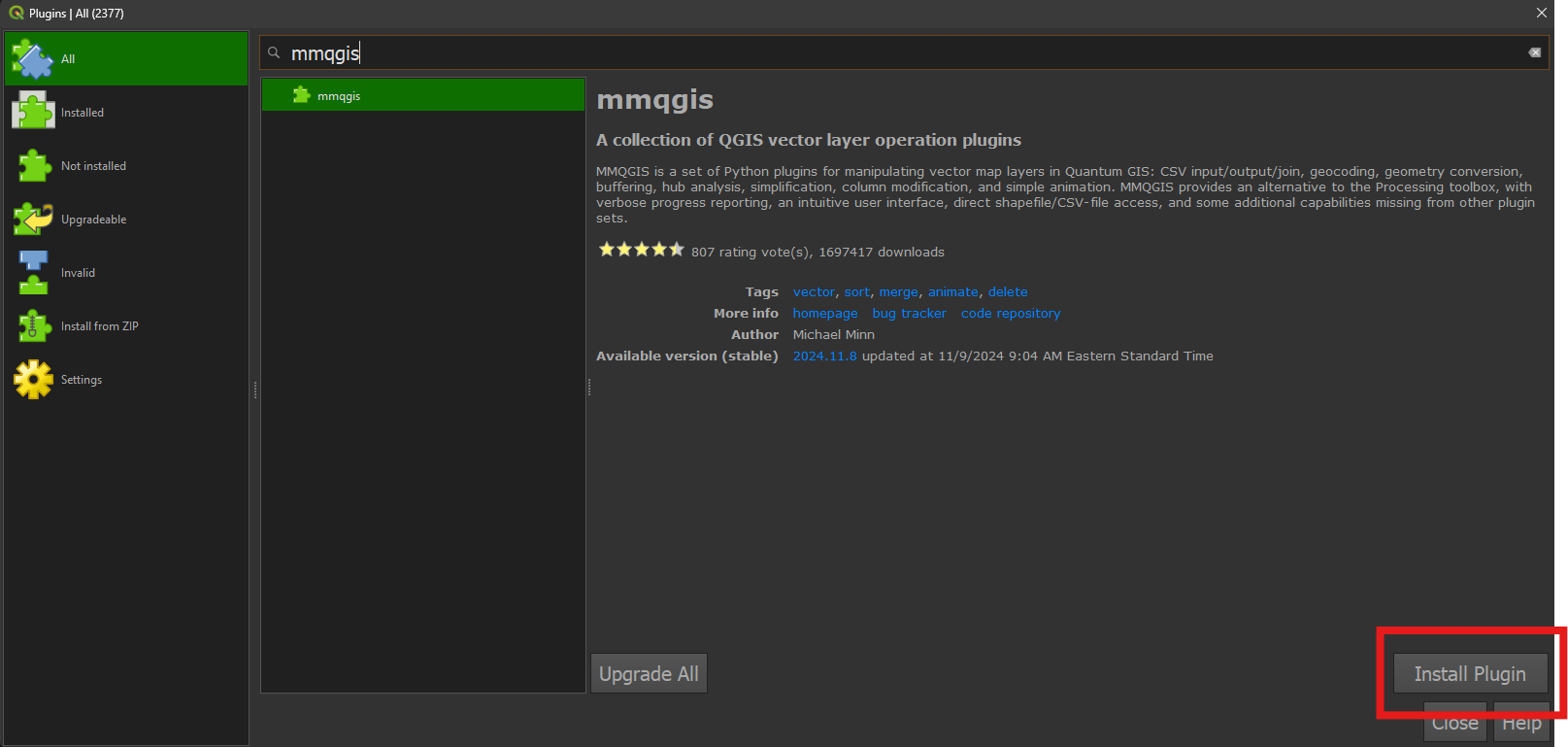
Plugins
Plugins are add-ons for the QGIS software, usually developed by a third party (not the QGIS organization itself). Plugins are immensely helpful in adding functionality to the core QGIS application.
We’ll add two plugins to our installation of QGIS:
QuickMapServices
Easily search for and add basemaps and other data layers from the web.
• Click Plugins on the QGIS menu. Choose Manage and Install Plugins. 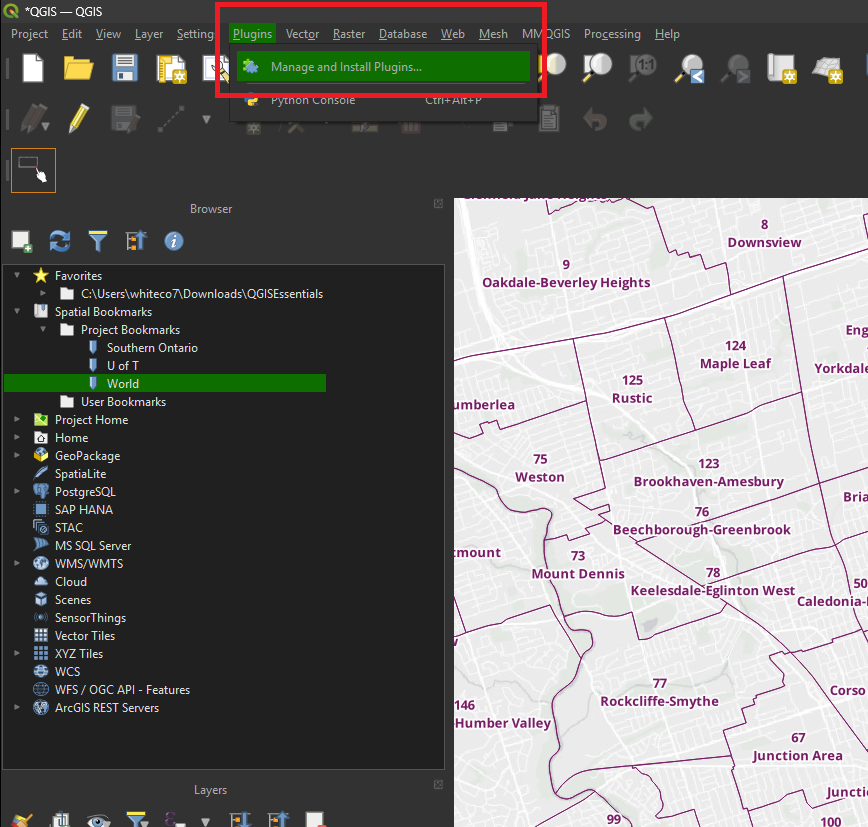
• In the Plugin Manager window, click the All tab. Search for quickmapservices. 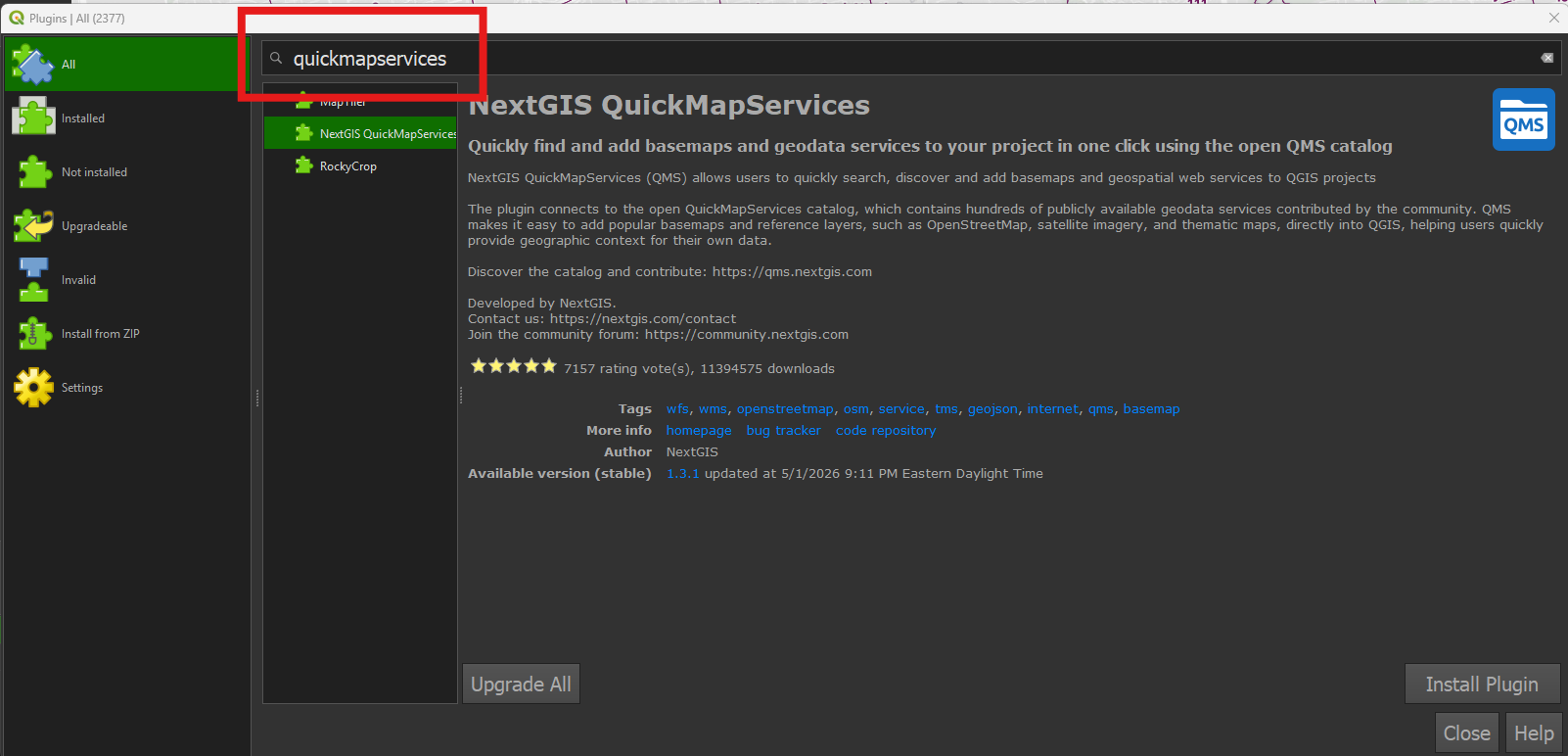
• Select the NextGIS QuickMapServices item from the results. 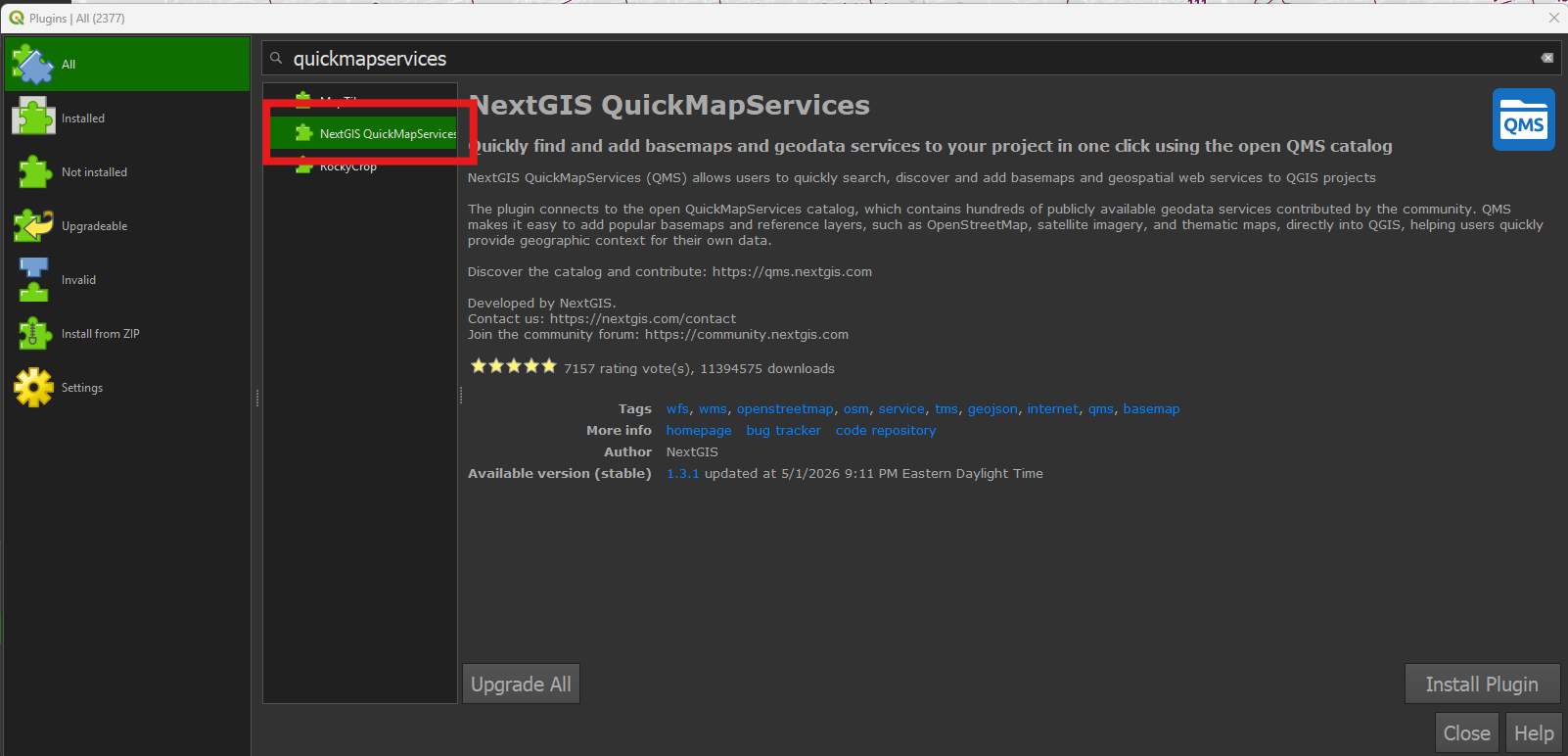
• Click Install Plugin. 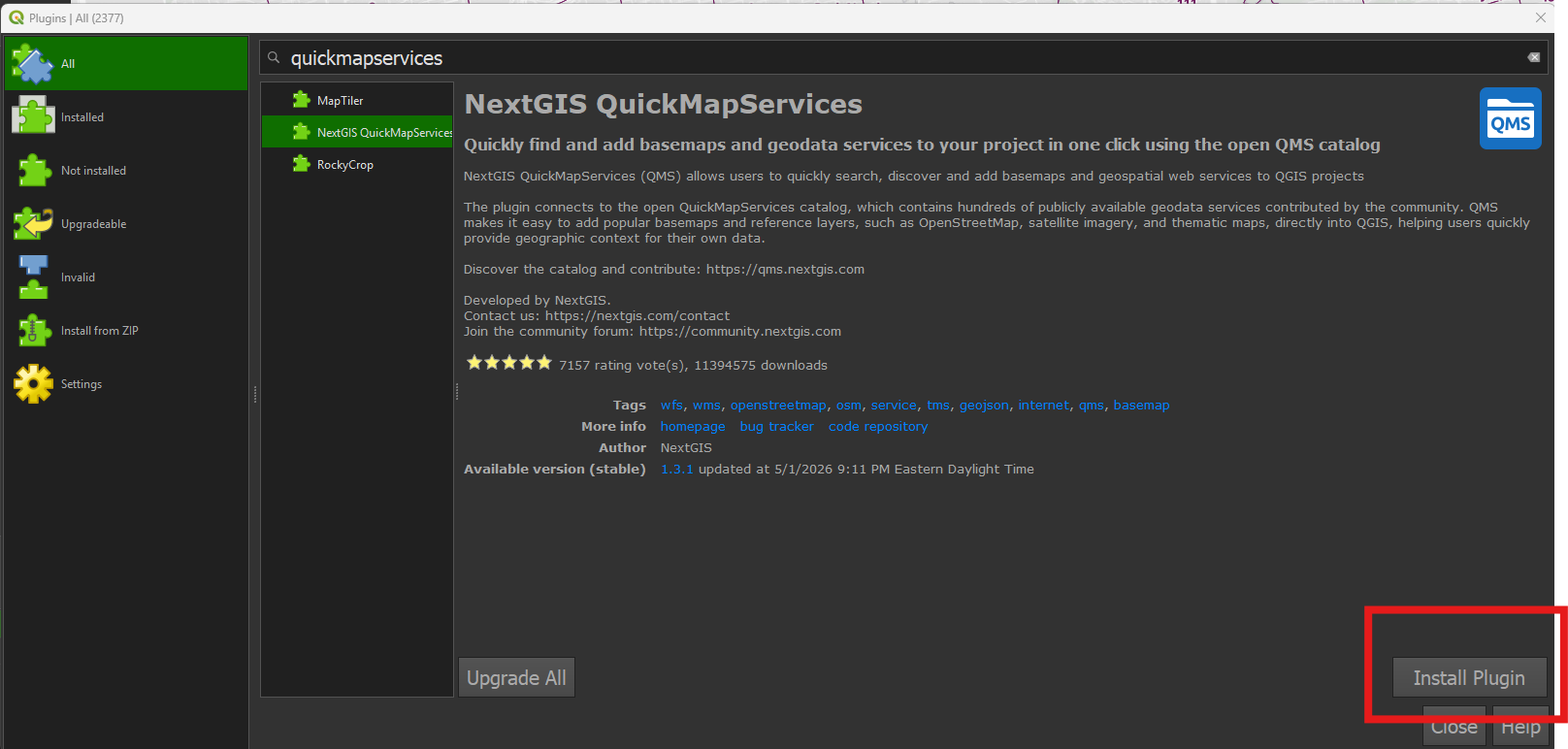
MMQGIS
This plugin contains a suite of various useful tools. We’ll use it to perform geocoding in the next section.
• From the All section of the Plugin Manager, search for mmqgis. 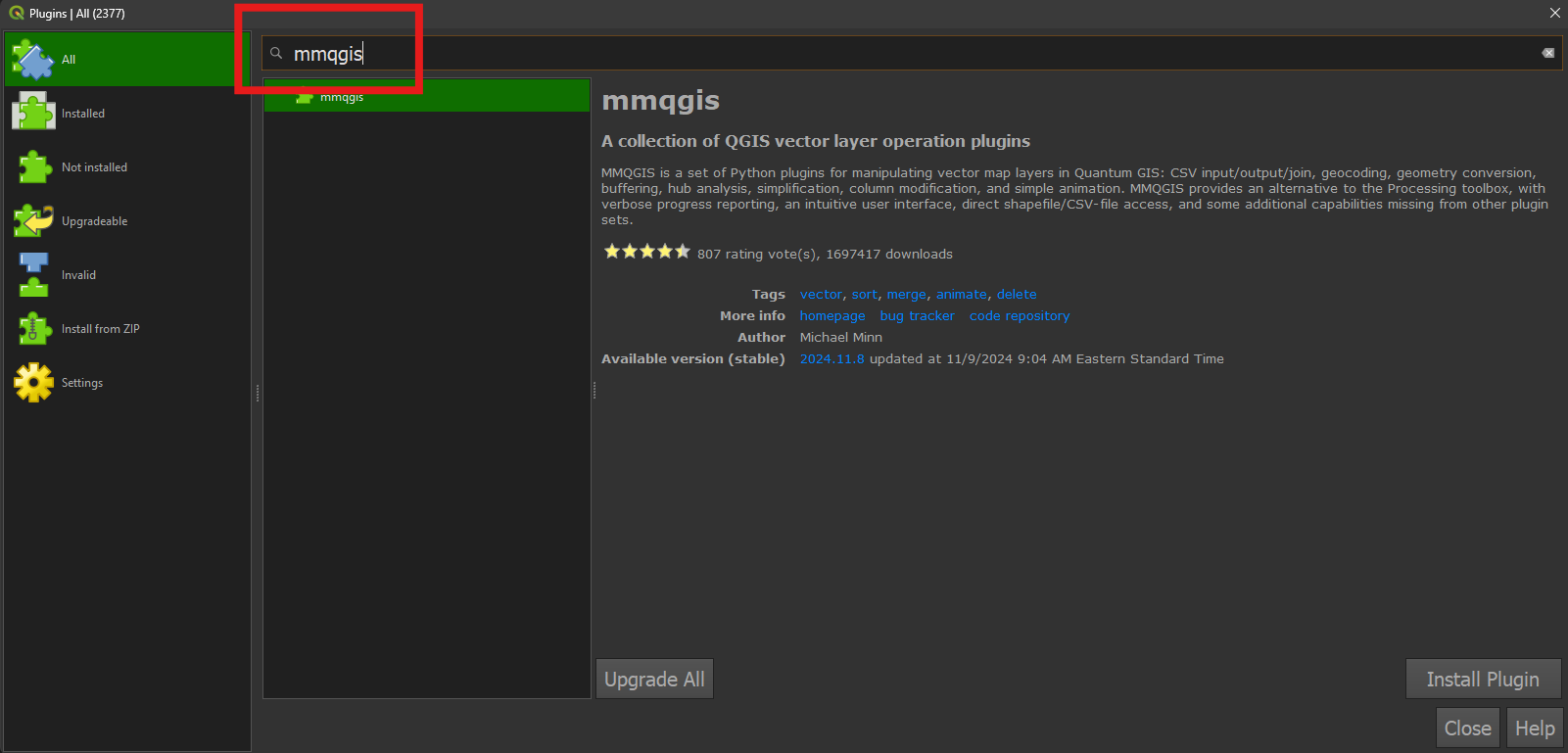
• Select the mmqgis item from the results and click Install Plugin. Close the Plugin Manager.