Save the Project
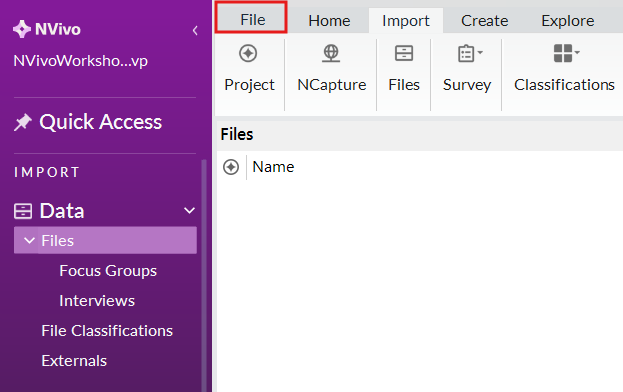
While NVivo will ask you to save your project every 15 minutes, when you are done working on a project it is important to remember to save manually. From the File Menu, select Save to save the current project.
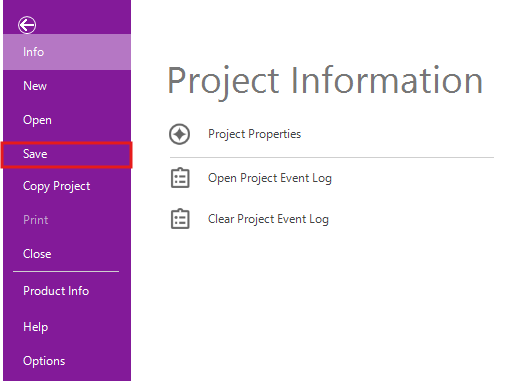
You can also save a project by clicking on the floppy disk icon on the top right of the menu bar, or pressing CTRL+S on your keyboard.

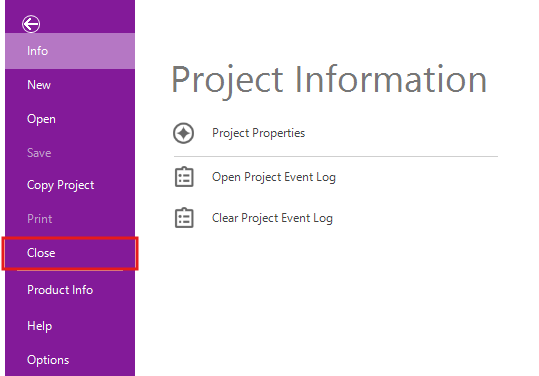
Finally, you can close a project to return to the NVivo main screen. Once your project is saved, go back to the File Menu and select Close.
Technique: Qualitative Data Analysis | Tools: NVivo